Room type
AI bathroom design from your photo
remyhomeai restyles a photo of your bathroom. Wall tiles, floor tiles, the vanity, the mirror, the taps and the lighting change. The toilet, basin and bath stay where they are, because the walls and the window that fix their positions do not move.
Bathrooms are small and the photo is usually taken from the door, so the result shows most of the room at once. Choose a style, choose a palette, tick what to keep, and each render finishes in 30 seconds to 3 minutes.
3 designs free each month. No card required.
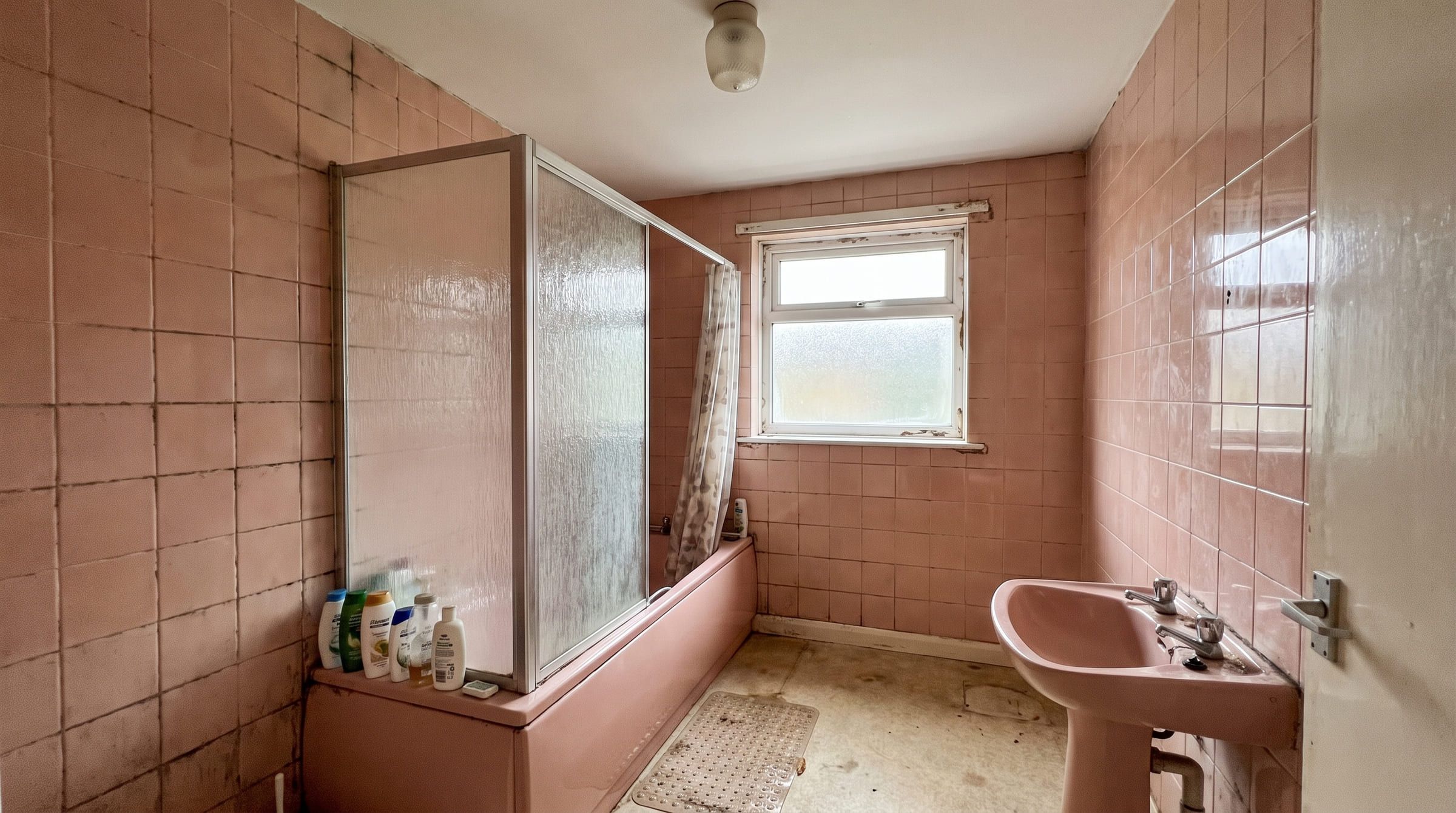
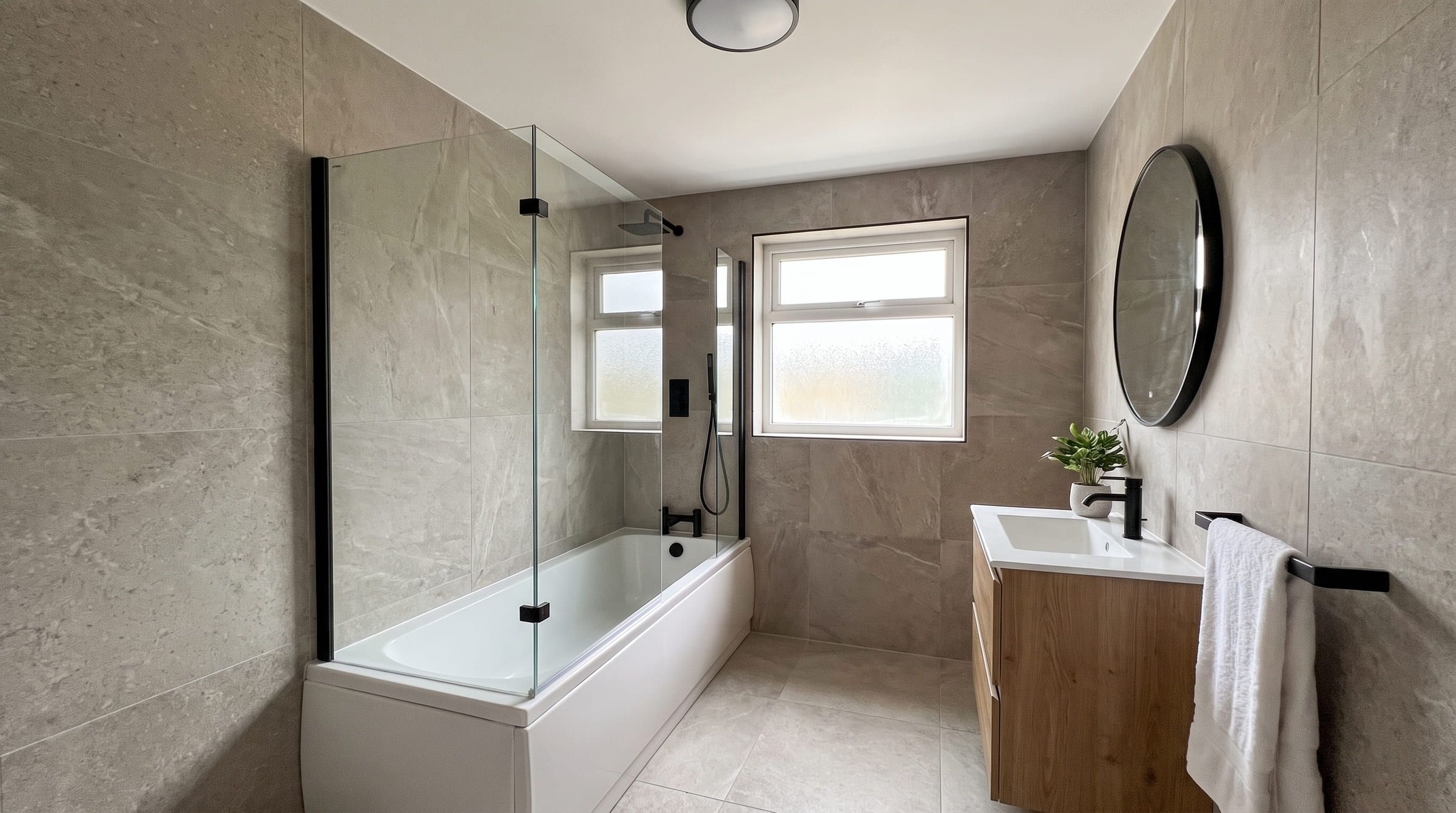
Drag to compare. One bathroom photo, restyled in Contemporary with remyhomeai's AI model.
What changes and what stays
Tiles are the main event in a bathroom redesign. The model re-tiles walls and floor to suit the style: large format stone, small mosaic, metro brick or a painted upper wall above half-height tiling. Grout colour and tile direction change with them.
The vanity, basin and mirror come back as a unit that matches the style. A pedestal basin can become a wall-hung vanity with storage. Taps, shower fittings and the towel rail change finish together, which is how a render gets a consistent metal across the room.
Sanitaryware keeps its position. The toilet is where the soil pipe is and the bath is against the wall it was against. Shape and style change; location does not. Small windows stay small, and an extractor fan stays where it is unless the ceiling is unlocked and the model paints over it.
Moisture stains, mould and peeling paint vanish in the render. That is a cosmetic fix the model does for free; the real room still needs the cause sorted.
Which styles suit a bathroom
Contemporary is the style in this page's before and after pair. Curved basins, a backlit mirror, warm neutral tiles and layered lighting suit the compact scale of most bathrooms and photograph well in a render.
Minimalist works in a bathroom with a single window and plain walls: one tile, one metal, no pattern. Scandinavian adds a wooden vanity and white tiles, and it suits a bathroom that gets little daylight because the pale scheme reflects what light there is.
Industrial and traditional are both strong looks that need the right shell. Industrial wants a high ceiling and exposed pipework, otherwise black fittings in a small white box look heavy. Traditional wants a bath with room around it and a tall window.
What to lock before you run it
Lock the floor if you have a tiled floor you are not lifting. Floor tiles sit under the toilet and the bath, so changing them is a full strip-out, and the render should not suggest one you do not want.
Lock windows so the small frosted window keeps its frame and its blind. Lock the ceiling if you want to keep the extractor and the downlights where they are.
Name the bath, the shower enclosure or a heated towel rail in the keep field if you are keeping them. Tick walls only if you plan to keep your current tiles, because that removes the biggest change the render can make.
How to photograph a bathroom for a good result
Stand in the doorway and frame the basin, the toilet and the bath or shower in one shot if you can. Bathrooms are tight, so step back into the hallway and shoot through the door. Hold the phone level at chest height so the tiles stay straight.
Turn the light on and wipe the mirror. Mirrors confuse the model when they reflect you or the camera; angle the shot so the mirror shows the opposite wall. Dry the shower screen so water drops do not come back as texture.
Remove bottles, toothbrushes and the bath mat. A bare room gives the model a clear surface to re-tile and a clear vanity to replace. If the room has no window, shoot with every light on and hold still; a dark photo gives a muddy render.
Problems a redesign can and cannot show you
It can show you whether dark floor tiles make a small bathroom feel smaller, whether a wall-hung vanity opens up the floor, and whether brass or black fittings suit the tile colour you prefer. Tile and metal choices are hard to judge from a sample, and this is where a render pays off.
It cannot move the toilet, swap a bath for a walk-in shower where the waste does not reach, or add a window to an internal bathroom. It does not model waterproofing, falls or ventilation, and it does not give you tile quantities or sizes. Product names and stock are not part of the result.
Use the render to settle style and colour before you book a plumber or buy tiles. A tiler can match the look; the render cannot do the tiler's job.
Bathroom questions
Will the toilet and bath stay where they are?
Yes. The photo fixes the plumbing positions. Their shape and style change; their location does not.
Can it fix the damp patch on my ceiling?
The render paints over it. The real ceiling still needs the leak or the ventilation fixed first.
Can I keep my floor tiles and change the walls?
Yes. Tick floor to lock it and leave walls unlocked. The wall tiles, vanity and fittings change around the floor you have.
My bathroom has no window. Does that matter?
It matters for the photo, not the result. Turn every light on and hold the phone still. The model keeps the room windowless and adds lighting in the chosen style.
Other rooms
- Living roomUpload a photo of your living room and see it redesigned in a new style. Walls, windows and the camera angle stay. Seating, rug and TV wall change.
- BedroomPhotograph your bedroom and get it back in a new style in minutes. The bed, bedding, bedside tables and lighting change. Walls and windows stay put.
- KitchenUpload one photo of your kitchen and preview new cabinets, worktops, splashback and lighting in the same layout. Plumbing and walls do not move.
- Dining roomPreview a new table, chairs, pendant and rug in a photo of your actual dining room. Wall, window and door positions stay exactly where they are.
- Home officeRedesign a photo of your home office: new desk, chair, shelving, lighting and a tidy video-call backdrop. The window and the door stay where they are.
- HallwayUpload a photo of your hallway and see new flooring, wall colour, storage and lighting in the same narrow space. Doors and the staircase stay put.