Paint visualizer
See a new wall colour on your own room
Updated
Upload a photo of your room, pick a colour, and remyhomeai repaints the walls. Nothing else moves: the furniture, floor, curtains, trim and ceiling stay exactly as they are in your photo.
Choose from 12 named colours or enter any hex code. A result takes 30 seconds to 3 minutes, in your own light and your own room.
3 designs free at signup. No card required.
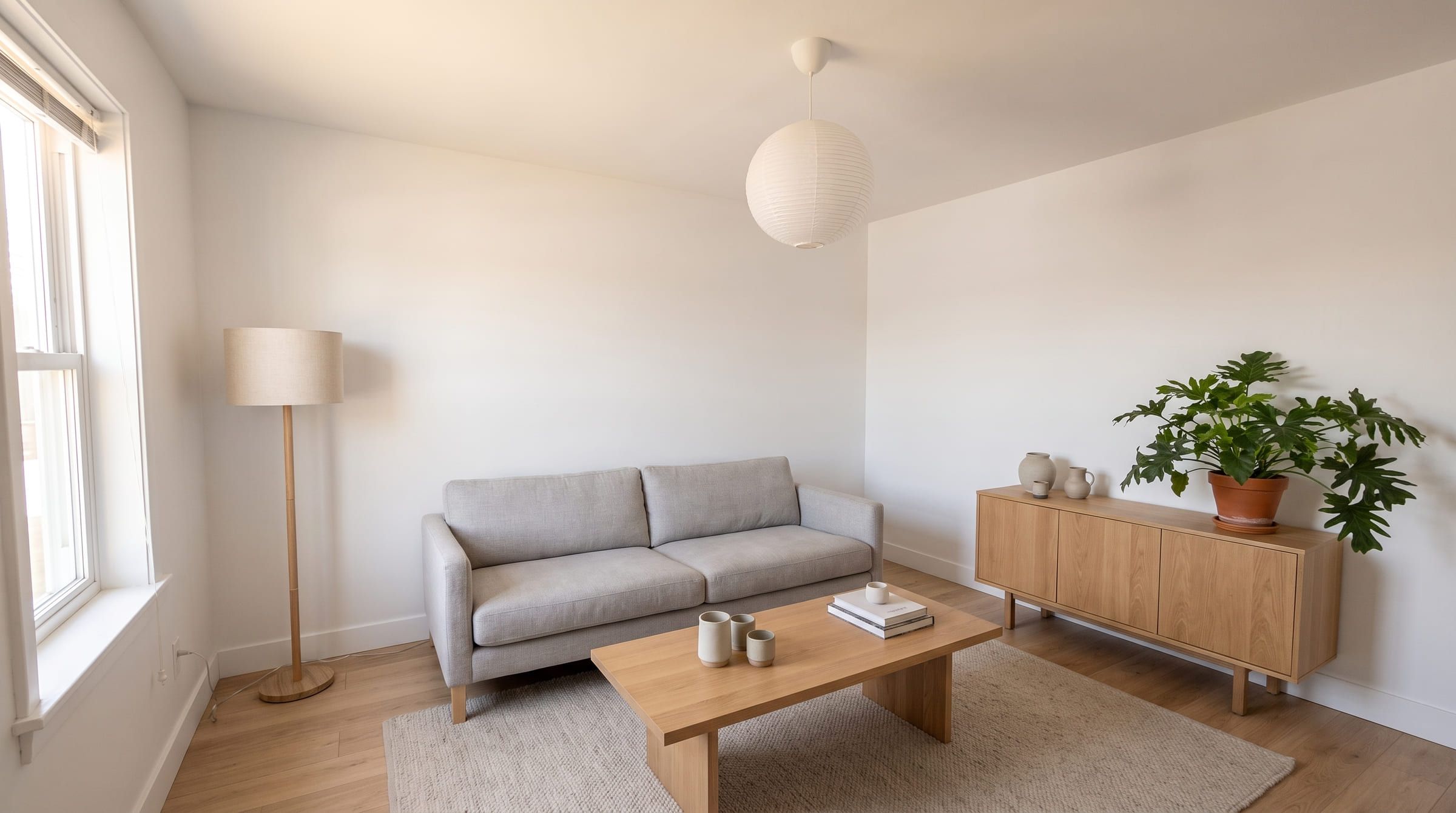
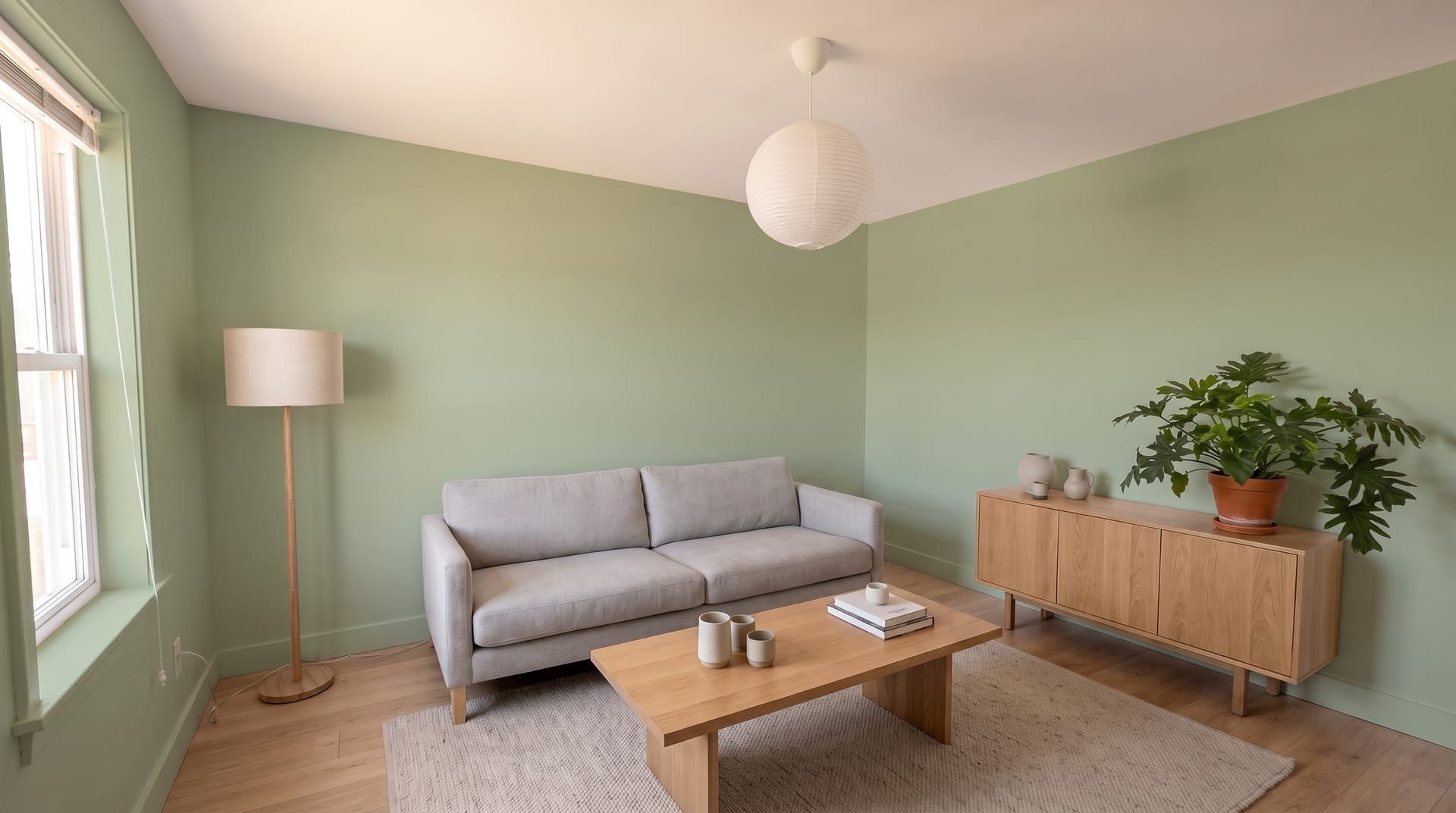
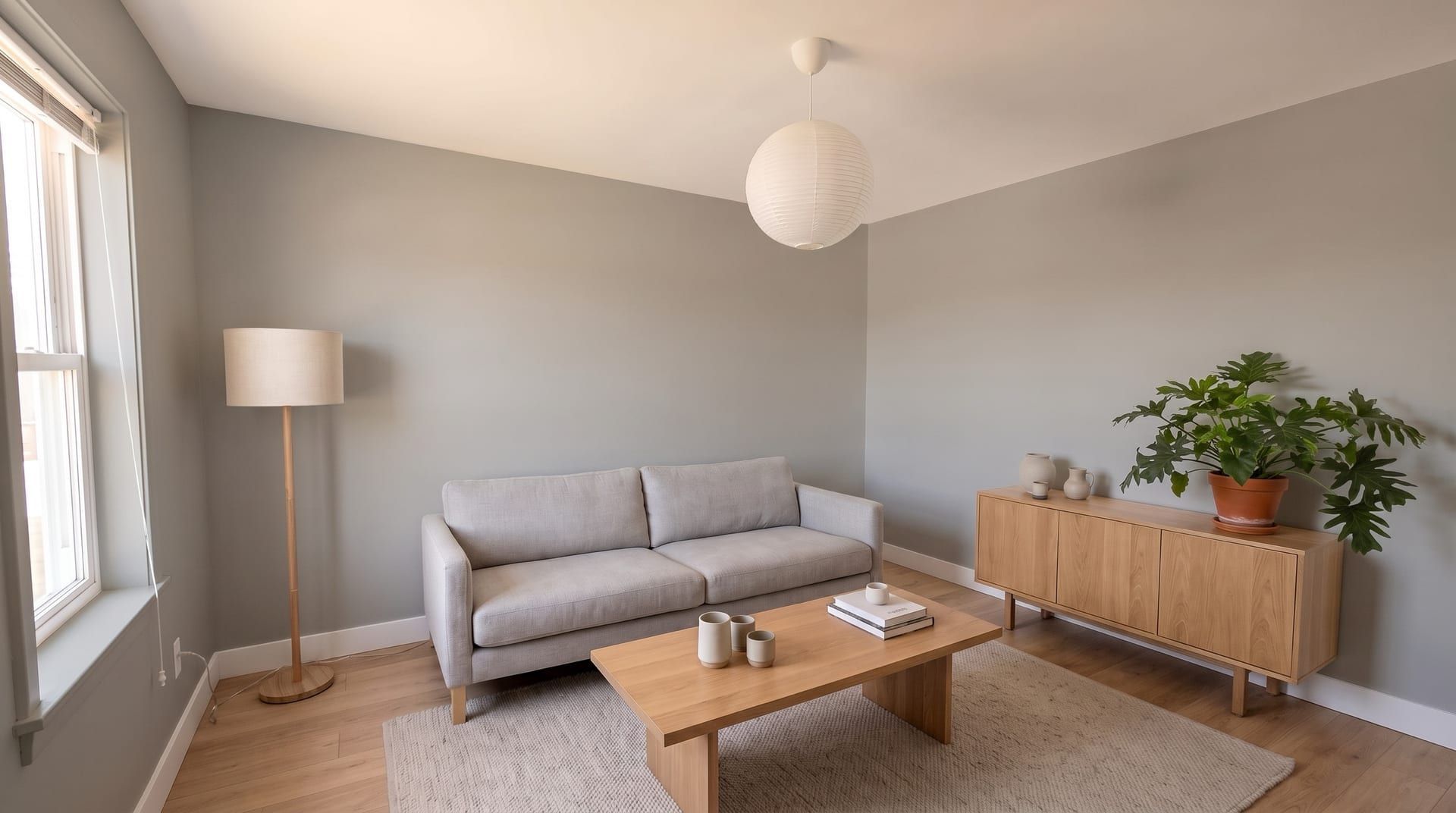
Drag to compare. Only the wall colour changed. Generated with remyhomeai's AI model from one sample photo.
One room, four wall colours
The same photo each time. Only the paint changes, so you judge the colour against your furniture and floor.
- Try sage
Sage#9CAF88
Soft green. Calm with pale wood and white trim.
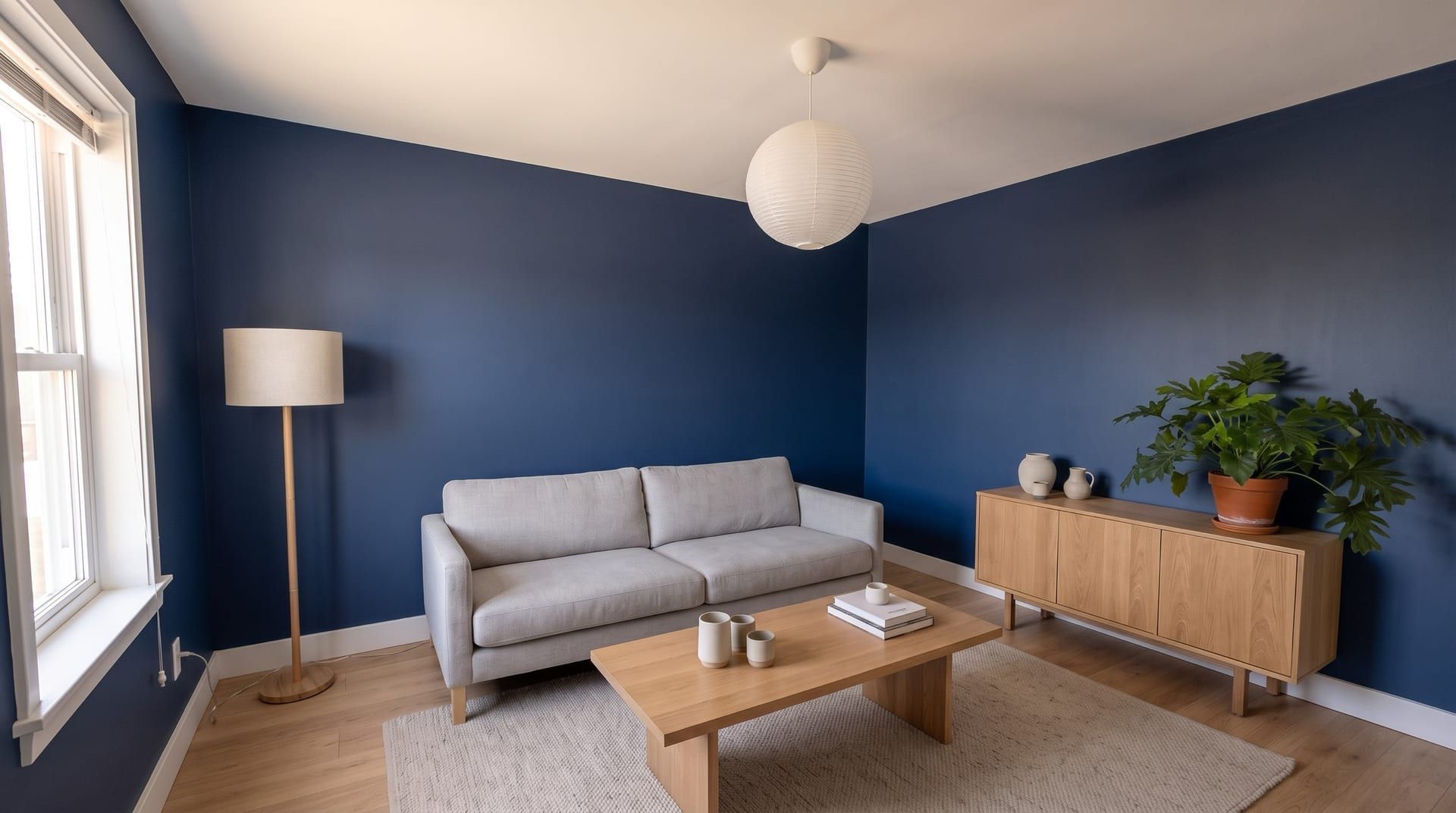 Try navy
Navy#1F2A44
Deep and dramatic. Makes white trim and light furniture stand out.
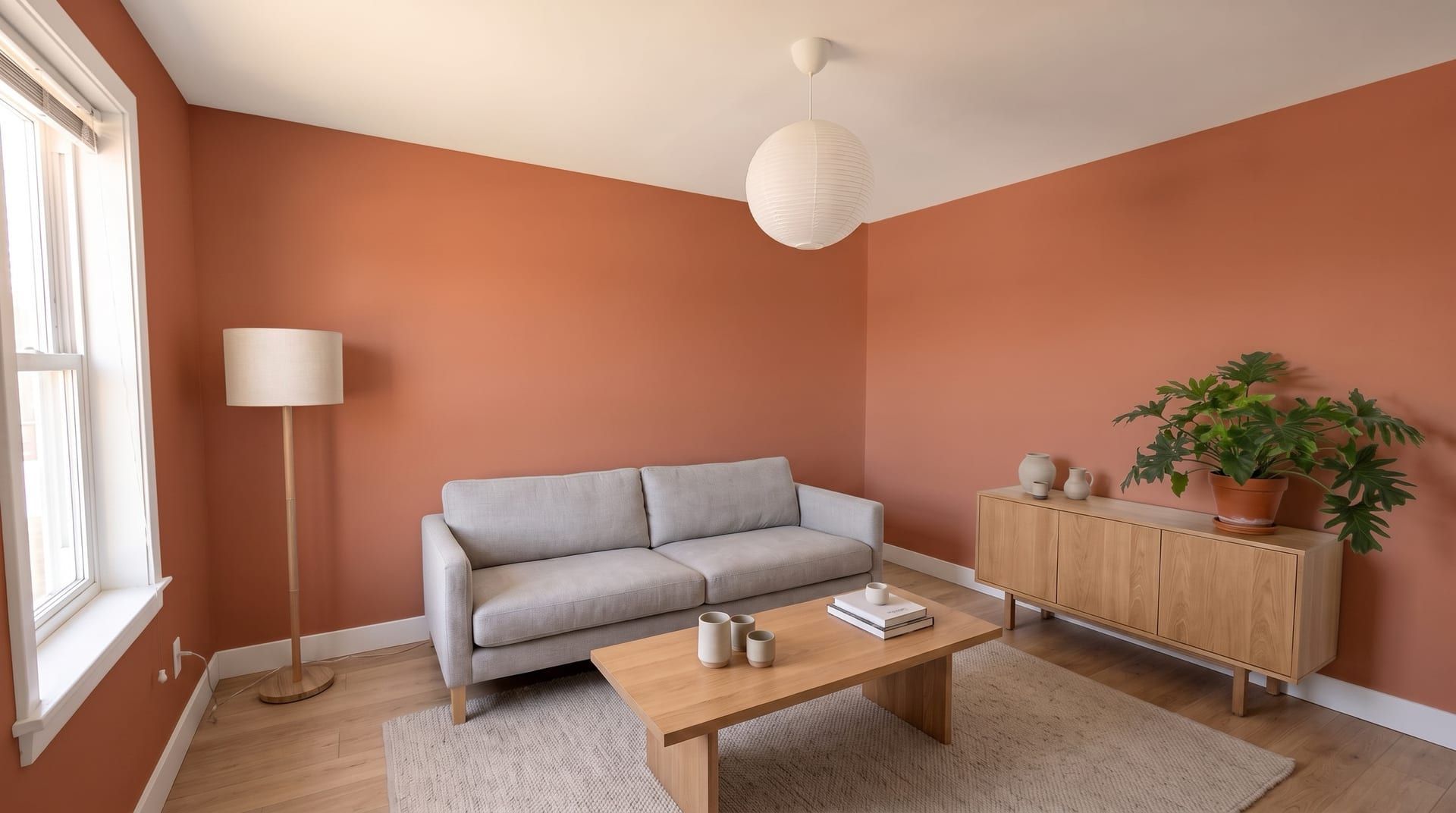 Try terracotta
Terracotta#C46A4A
Warm clay. Glows in afternoon light, strong in a south-facing room.
 Try mid grey
Mid grey#9A9A96
Neutral and quiet. Reads cooler in north light.
Generated with remyhomeai's AI model from one sample photo.
How to try a paint colour on your room
- Take one photo of the room in daylight, with as much wall in view as you can.
- Upload it and choose the room type.
- Choose Repaint walls only, then pick one of the 12 named colours or enter a hex code and a name.
- Generate. Compare the 2 variations, then try the next colour on the same photo.
How light changes a paint colour
The same paint looks different in each room. In the northern hemisphere a north-facing room gets cool, even light, so greys and blues read colder, and a south-facing room gets warm light, so warm colours glow and whites turn creamy. In Australia and the rest of the southern hemisphere, swap north and south. Bulbs change it again in the evening: see warm white vs cool white light.
| Room light (northern hemisphere) | Colours that work | Colours to test first |
|---|---|---|
| North-facing | Warm whites, terracotta, warm greens | Cool greys, icy blues |
| South-facing | Most colours, including cool ones | Strong yellows and oranges |
| Small and dark | One deep colour on all walls, or a pale warm white | Mid greys |
To plan the amount, use the free paint calculator. For the finish, see flat vs eggshell vs satin paint. To build a scheme from a photo you like, try the palette from photo tool.
What it does not do
- It does not match a paint brand's colour exactly. A hex code is a close screen match, not a paint formula.
- It does not paint tiles, brick, stone, wood panelling, the ceiling or the trim.
- It does not repaint house exteriors.
- It does not sell paint or link to products.
Want to change more than the walls? A full AI room redesign restyles the furniture, floor and decor too.
Paint visualizer questions
Does it change anything except the walls?
No. The walls-only mode repaints the painted wall surfaces and keeps the furniture, floor, rugs, curtains, art, lighting, ceiling and trim as they are in your photo. Tiles, brick, stone and wood panelling are not painted.
Can I use a colour from a paint brand?
Yes, as a close match. Enter the colour's hex code, which most paint brands publish for each shade, and give it a name. Screens and room light change how paint looks, so check a real sample on your wall before you buy.
Can I paint a bathroom or kitchen?
Yes, where the walls are painted. Tiled areas stay tiled, so a room that is tiled floor to ceiling shows little change.
Is it free?
You get 3 designs free when you sign up, with no card. Each design returns 2 variations. One colour on one photo is one design.
Can I paint the outside of my house?
No. It works on photos of rooms. It does not repaint exteriors.