Kitchen visualizer
See new kitchen cabinets on your own photo
Updated
Upload one photo of your kitchen and remyhomeai repaints the cabinet fronts in the colour you choose. It edits your actual photo, so the units, window, tiles and floor stay where they are. You see your own kitchen, not a showroom.
Lock what you want to keep and only the cabinets change. A render takes 30 seconds to 3 minutes, and you can try a new colour on the same photo. Each new colour is one more design.
3 designs free at signup. No card required.
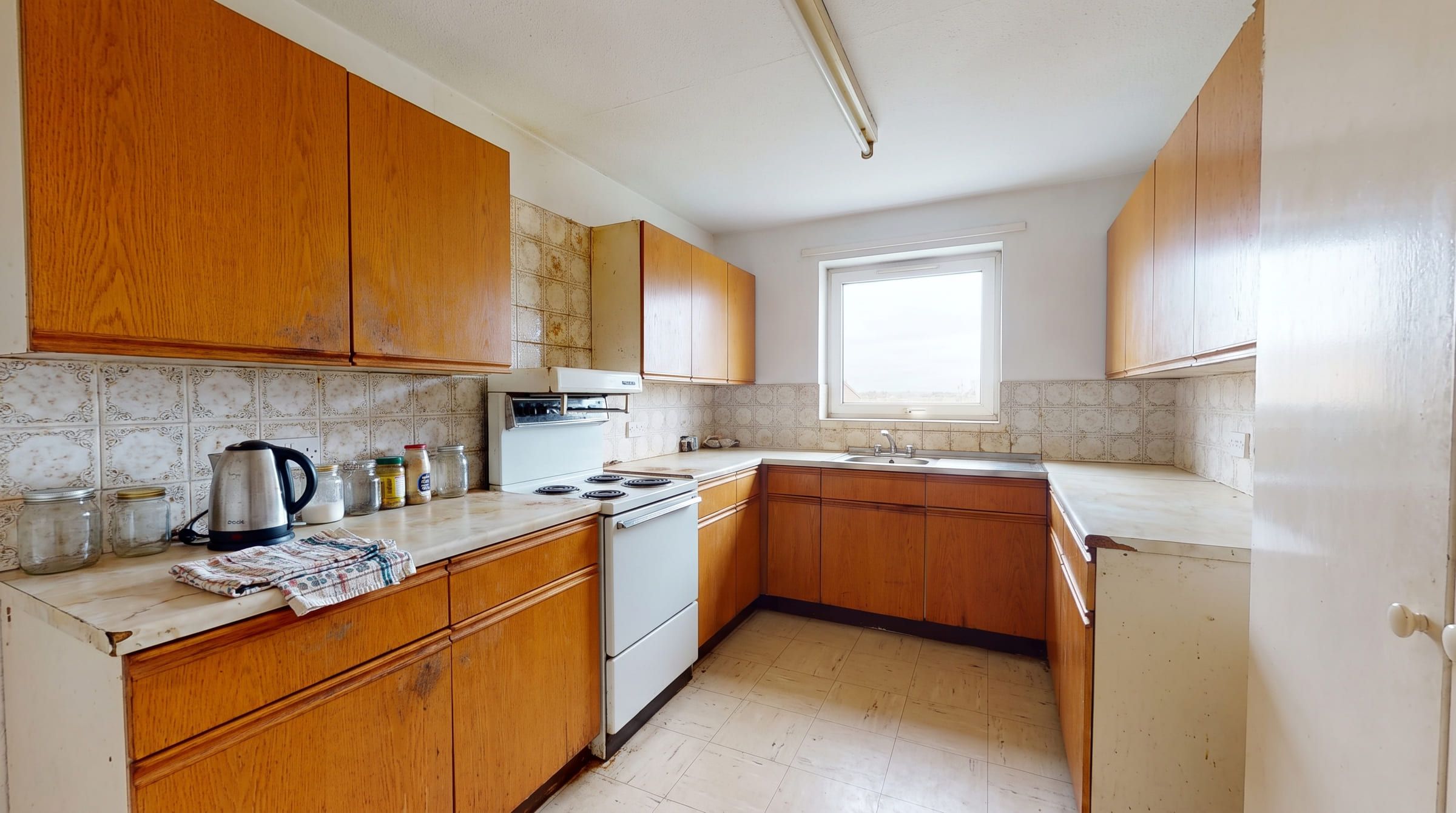
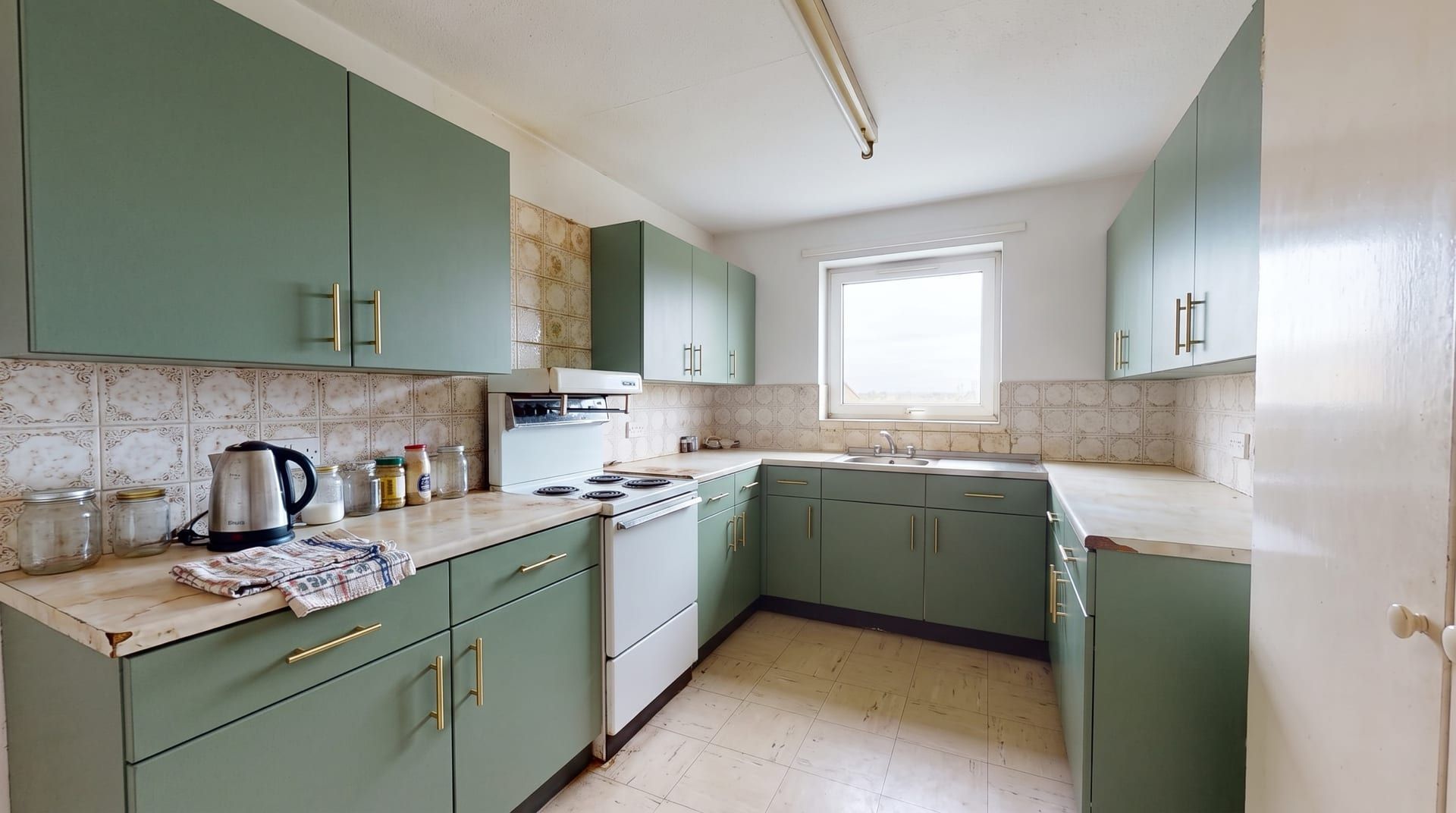
Drag to compare. Only the cabinet fronts changed. Generated with remyhomeai's AI model from one sample photo.
One kitchen, four cabinet colours
The same photo each time. The tiles, worktop, cooker and floor are identical in all four, so you compare the cabinets and nothing else.
Sage green
Soft and warm. Works with wood worktops and brass. Hides marks better than white.
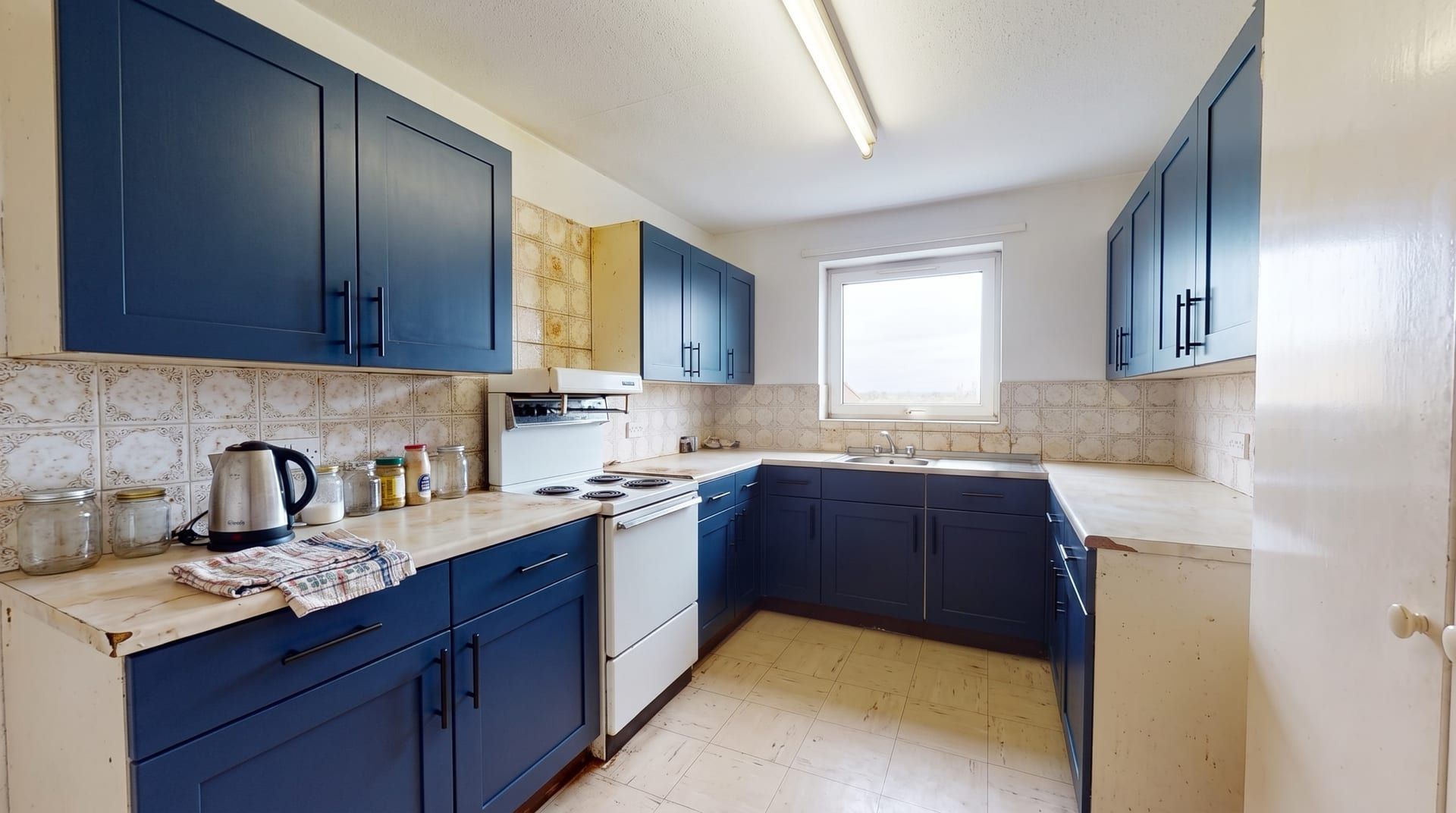
Navy blue
Strong contrast with pale tiles and worktops. Best in a kitchen with good daylight.
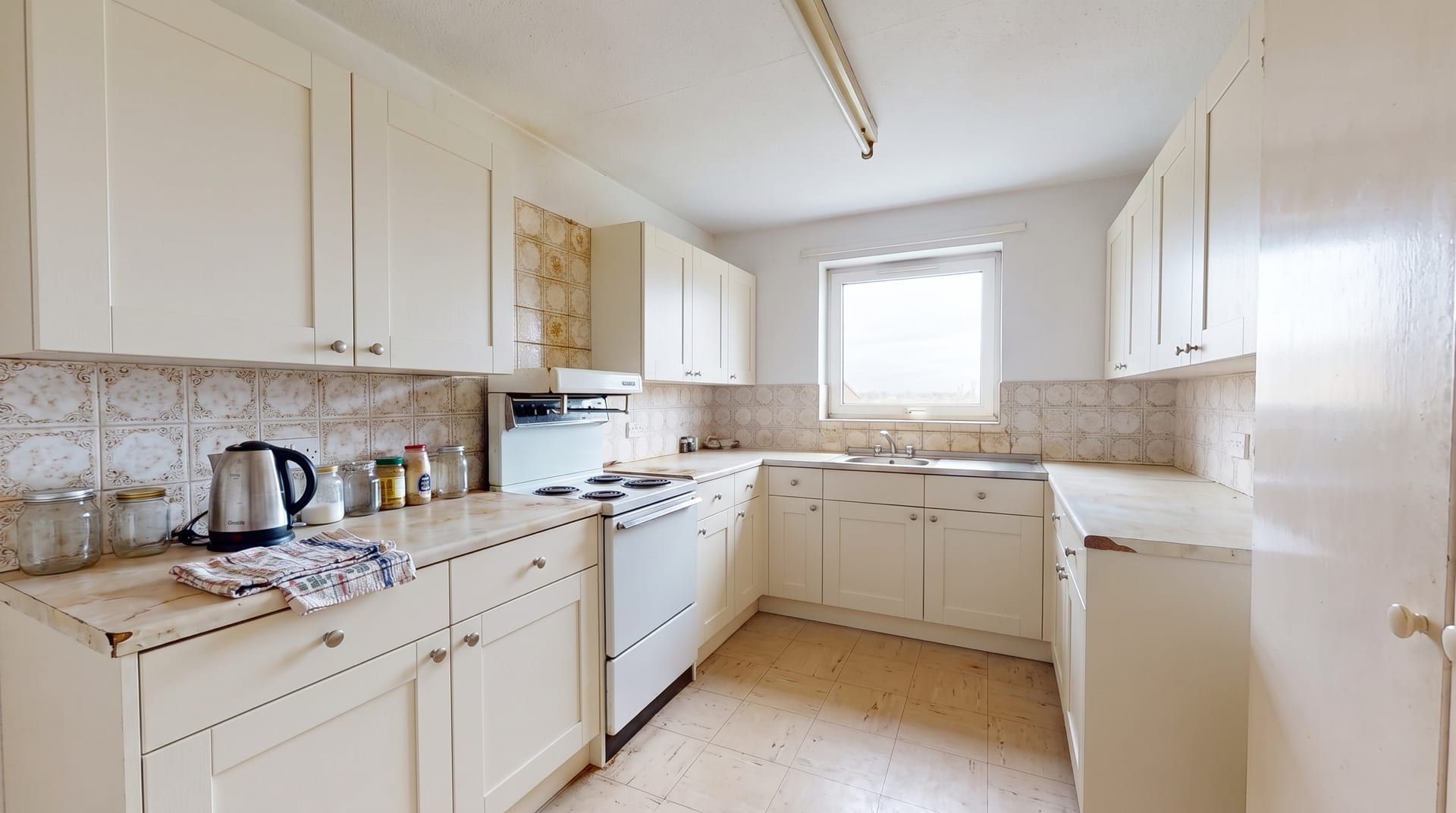
Warm white
Makes a small kitchen look bigger. Shows dirt on lower doors and handles.
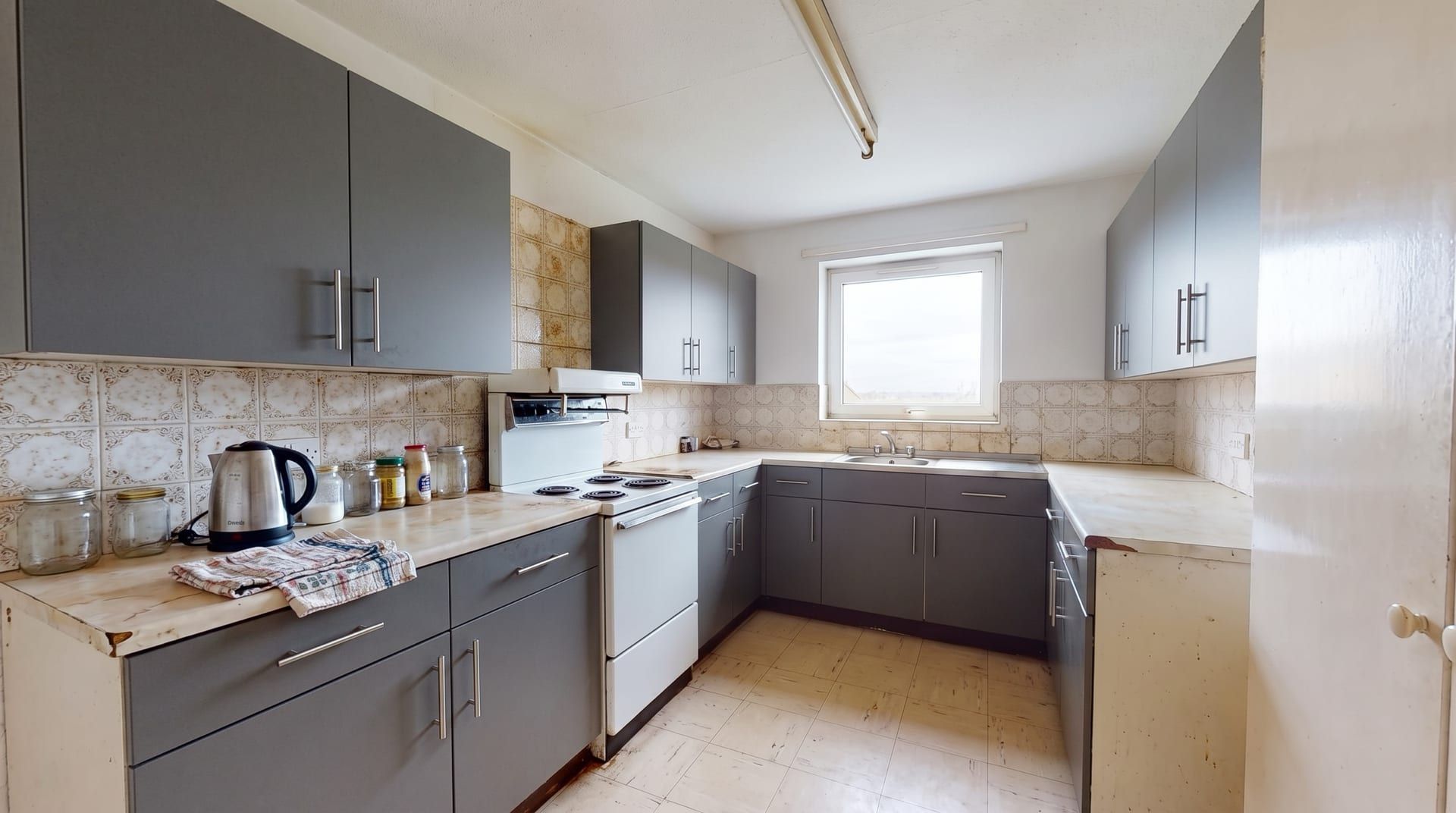
Charcoal grey
Modern and calm. Hides wear. Can feel heavy on upper cabinets in a dark room.
Generated with remyhomeai's AI model from one sample photo.
How to change only the cabinets
- Take one photo of your kitchen from the doorway, straight on, in daylight.
- Upload it and choose Kitchen as the room type.
- Pick a style for the door shape (modern for flat fronts, traditional for shaker panels) and a palette for the colour, such as Sage & Cream, Midnight Navy or Charcoal & Gold. Or describe your own colour in words.
- Tick Floor and Walls, and type the tiles, worktop and cooker into the keep field.
- Generate. Compare the 2 variations, then try another colour on the same photo.
Which cabinet colour suits which kitchen?
| Colour | Best for | Watch out for |
|---|---|---|
| Warm white | Small or dark kitchens | Marks on lower doors |
| Sage green | Wood or stone worktops, brass hardware | Cool white lighting makes it grey |
| Navy blue | Pale tiles and worktops, good daylight | Can dominate a very small room |
| Charcoal grey | Modern kitchens, busy households | Heavy on upper cabinets in low light |
| Two-tone | Dark lower and light upper units in a small room | Needs one link colour, such as the handles |
The splashback changes how every cabinet colour reads. See the options in kitchen backsplash ideas, or redesign the whole room on the AI kitchen design page. To pull a colour scheme from a photo you like, use the free palette from photo tool.
What it does not do
- It does not match a paint brand's exact colour code. It shows the colour family on your units.
- It does not change the layout or move units. The cabinets stay where they are in your photo.
- It does not link to products or give a price for the doors shown.
- It is not a 3D planner and does not produce measured drawings.
Kitchen visualizer questions
Can I change only the cabinets and keep everything else?
Yes. Tick the floor and walls to lock them, and name the tiles, worktop, cooker and anything else you want untouched. Everything you lock is kept as it appears in your photo, so the change is limited to what you leave open.
Can I pick an exact paint colour from a brand?
No. You choose from 39 colour palettes or describe your own in words, such as "sage green cabinets with brass handles". The result shows the colour family on your units. Check a physical paint sample in your own light before you buy.
Does it work from a phone photo?
Yes. One photo taken straight on, in daylight, with as much of the kitchen in view as possible works best. Clear the worktops first if you want a cleaner result.
What does it cost?
You get 3 designs free when you sign up, with no card. Each design returns 2 variations, so you can try several colours before you pay anything.