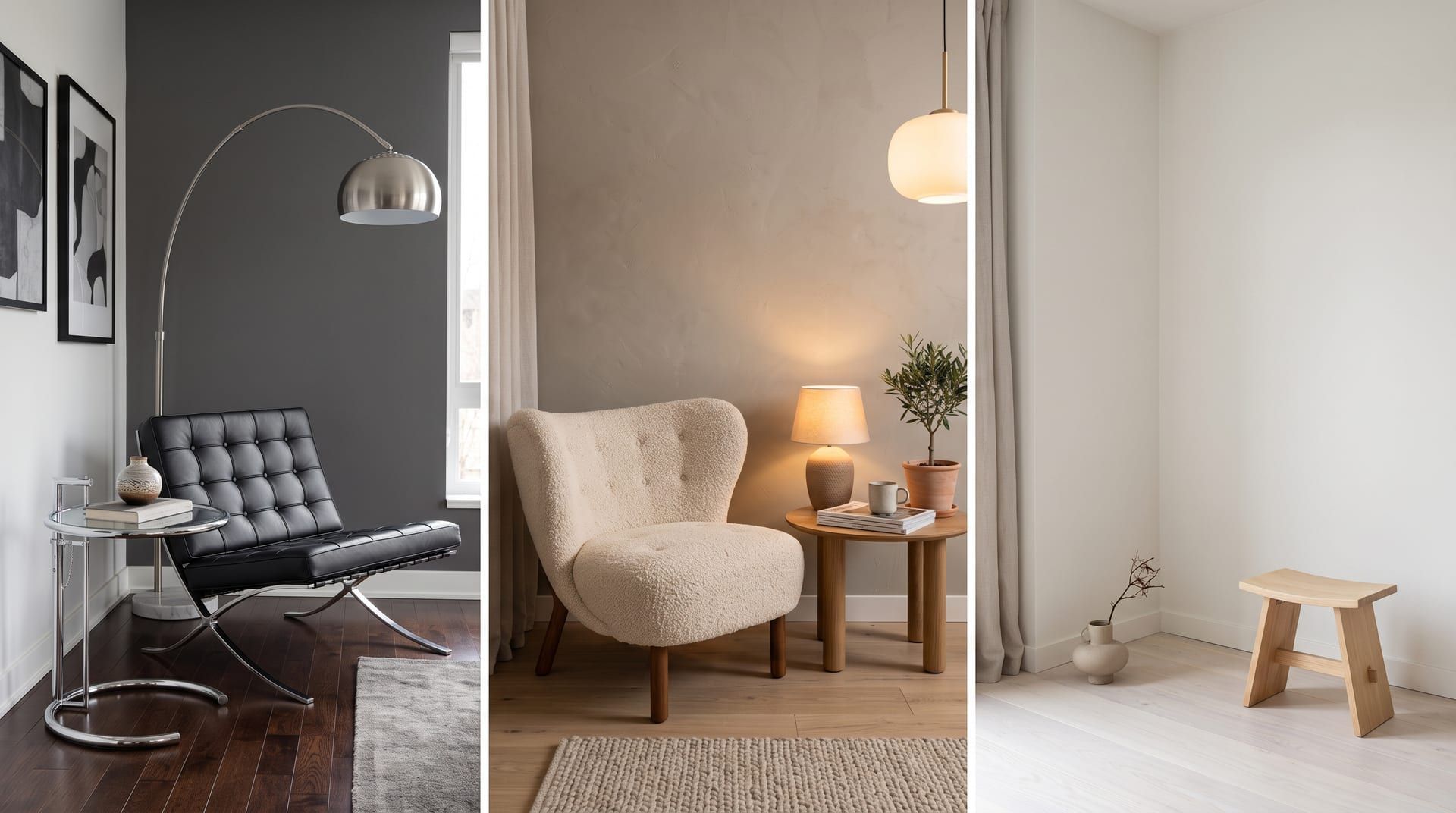
Many AI room designers do not redesign your room. They read your photo for hints (the style, the colours, the rough layout) and then generate a new room from a text prompt. The result has different windows, a different ceiling and a different camera angle. AI room design from a photo only means what it says when the tool edits the photo itself.
That difference decides whether you can act on the result. This post explains the two approaches, how to tell them apart in under a minute, and where the better approach still falls short. remyhomeai is not the only tool that edits the photo: as of October 2026, ReimagineHome, Remodel AI, HomeDesigns AI and Spacely AI also advertise keeping the structure. The test below works on all of them, and on the ones that make no such promise.
What “AI room design from a photo” can mean
There are two very different things a tool can do with the photo you upload.
Approach 1: your photo as inspiration
The tool looks at your photo and writes, or lets you write, a description: “a living room with a grey sofa, large window on the left, Scandinavian style”. It then asks an image model to generate a room that matches the description. The photo guides the prompt. It does not constrain the picture.
This is text-to-image generation with an extra step. The model has never been asked to keep your room. It has been asked to make a Scandinavian living room, and it makes a good one. It is just not yours.
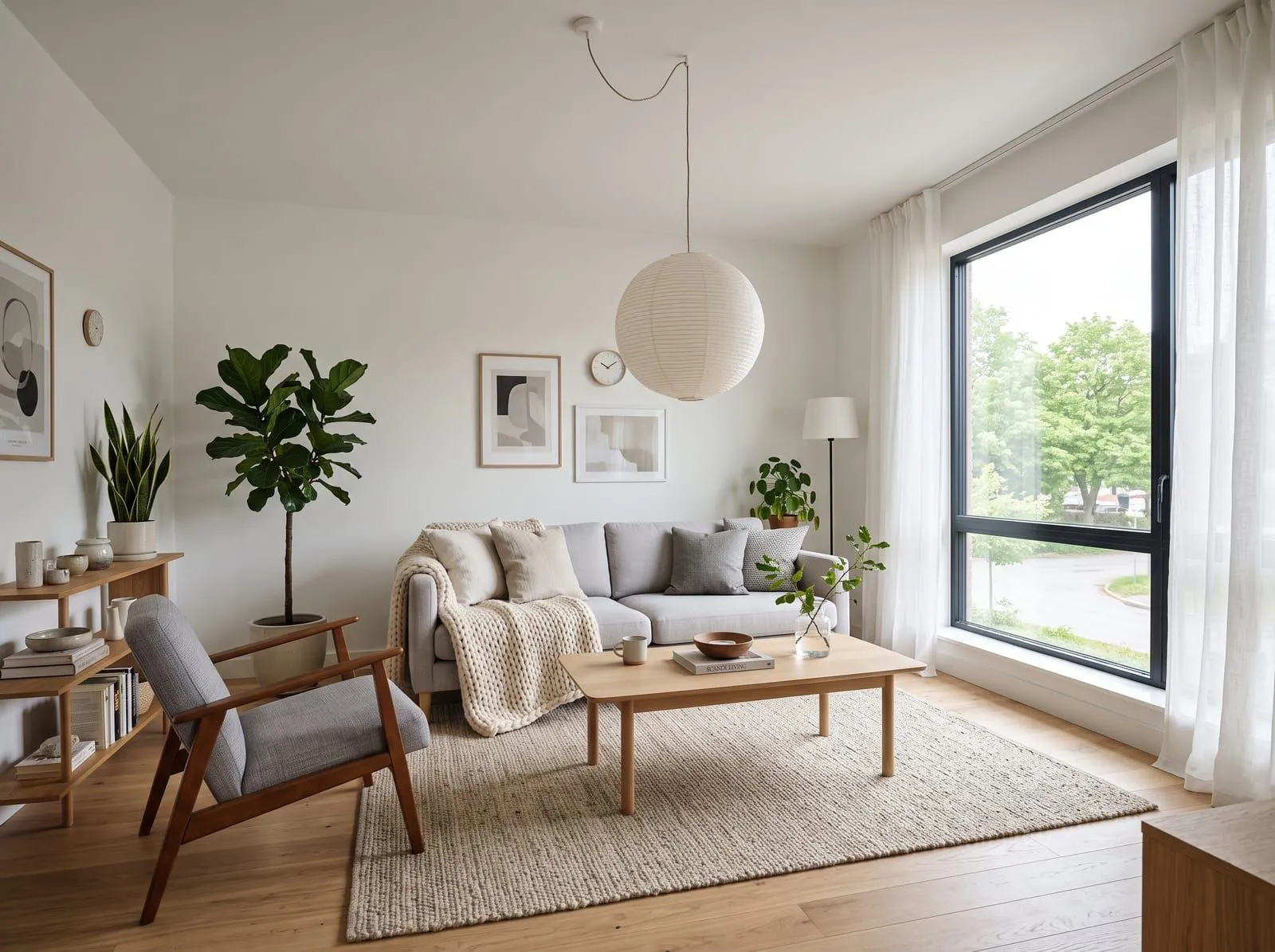 Generated from a text prompt only, with no photo. Compare it with the slider above.
Approach 2: your photo as the thing being edited
The second approach gives the model your photo as an input it must respect, and tells it what to change. This is called image-conditioned editing. The model keeps the geometry of the room: the position of the walls, the windows and doors, the ceiling height and the camera angle. It changes the design: furniture, finishes, textiles, lighting, wall colour.
The result is a before and after of the same room. You can hold your phone up to the screen and the lines match.
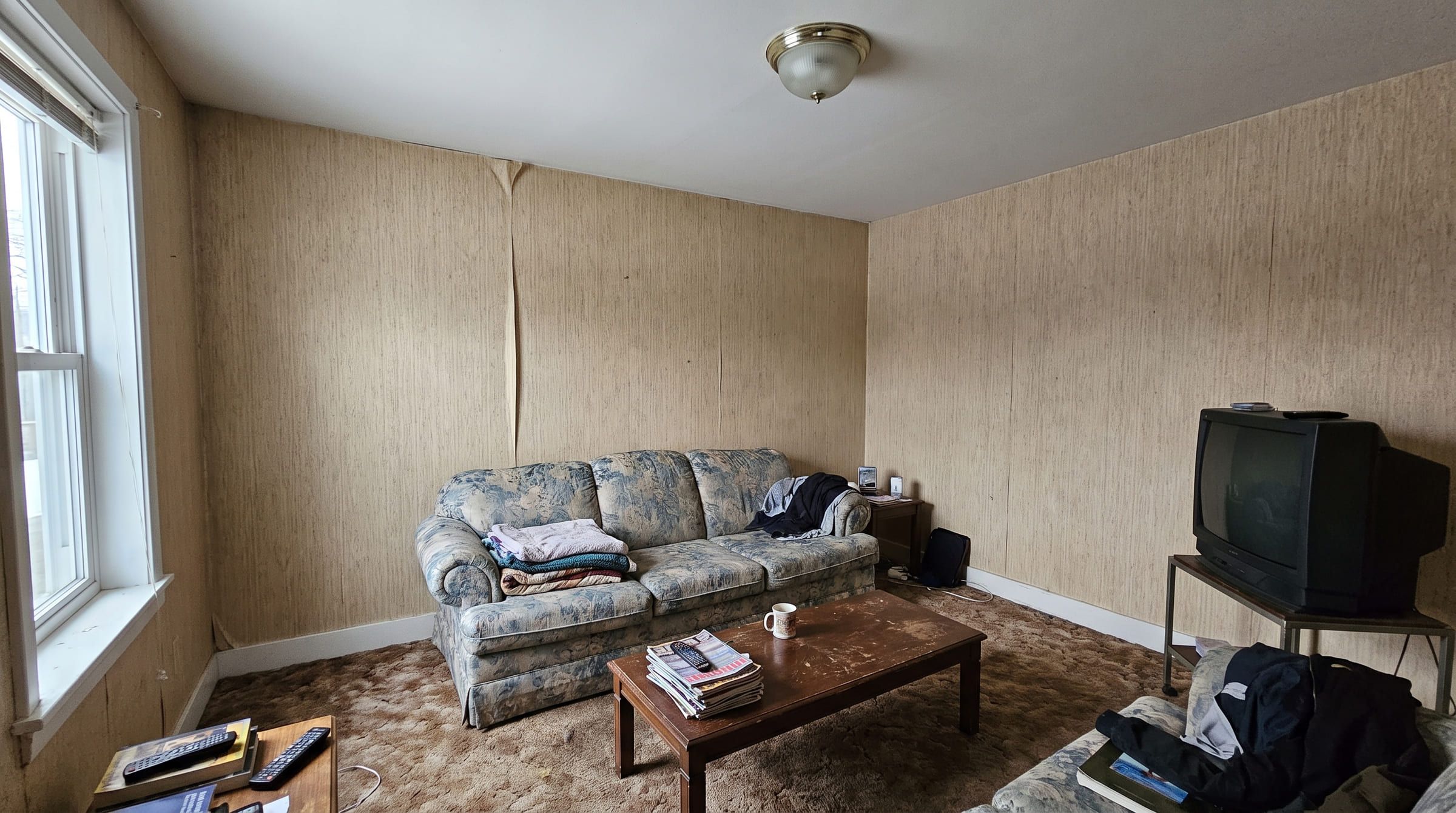
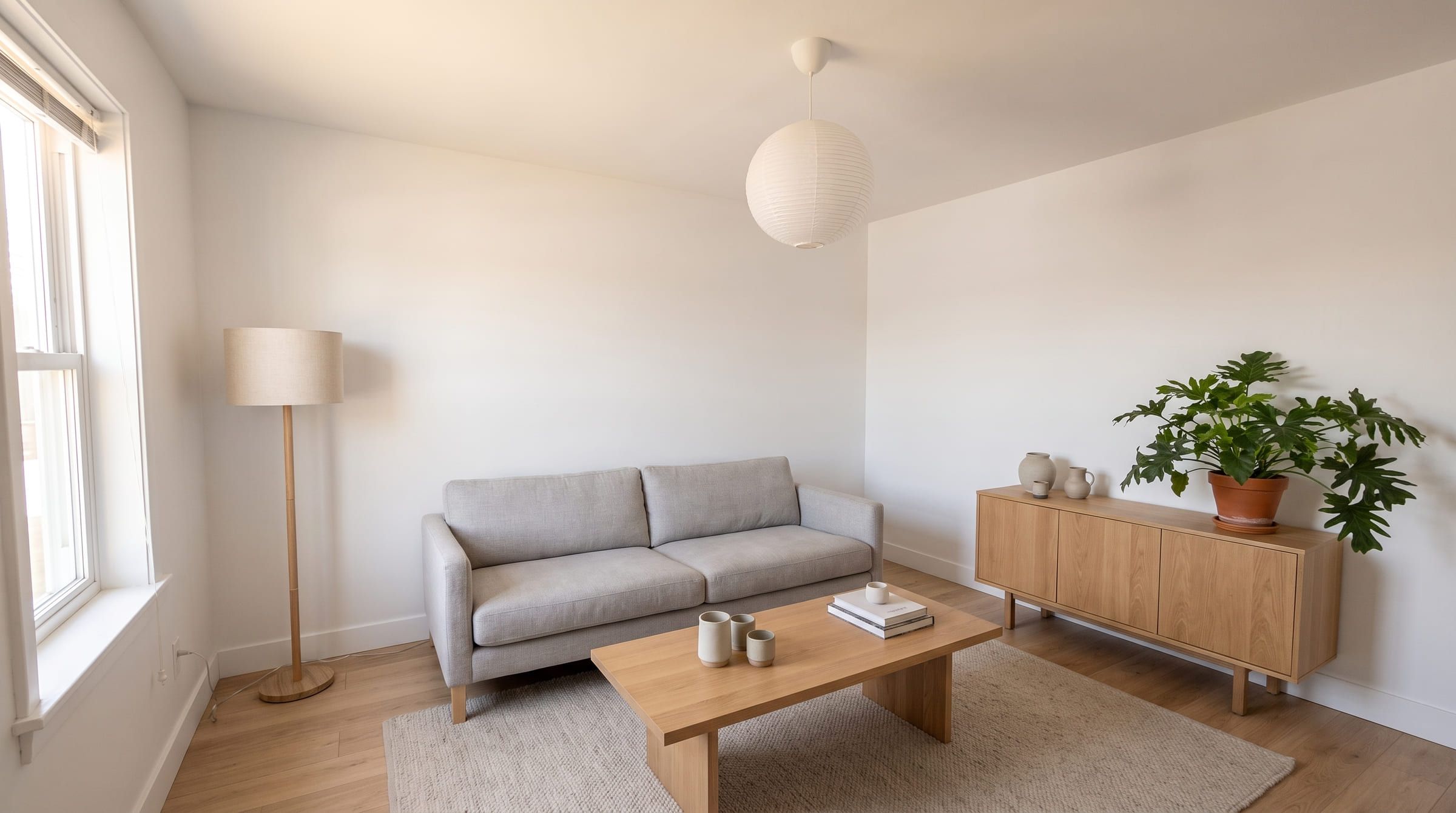
remyhomeai uses the second approach. The slider at the top of this post shows one living room photo edited into a Scandinavian style. Drag it and watch the window frame. It does not move.
How to tell which approach a tool uses
You do not need to read the tool’s documentation. Upload one photo, generate one result and run three checks.
Count the windows. Your room has a fixed number of windows in fixed places. If the result has one more, one fewer, or a window on a different wall, the tool generated a new room.
Check the door. Doors are hard to invent well, so generators often drop them or move them. Find the door in your photo and find it in the result. Same wall, same side, same width?
Check the ceiling line. Look at where the ceiling meets the wall. In an edited photo the line sits at the same height and the same angle. In a generated room the ceiling is usually higher, flatter and more evenly lit than yours.
A fourth check if the first three pass: the camera angle. Pick an object that appears in both images and compare how much of its side you can see. If the camera has moved, the room was redrawn.
If a tool passes all four, it edits. If it fails any, it generates. Many tools generate even when their marketing says “take a picture of your room and decorate it”, so run the checks before you trust the result.
Why this matters when you plan to buy things
A generated room is a mood board. An edited room is a plan.
Say the result shows a three-seat sofa under the window with a floor lamp beside it. In an edited photo, that window is your window and that wall is your wall, so the sofa length is roughly right for the space and the lamp sits where a plug could be. You can measure the wall and go shopping.
In a generated room the window may be wider, the wall may be longer and the ceiling may be half a metre higher. The sofa that looks right in the picture may not fit. The pendant that looks balanced may hang too low. You cannot measure anything, because nothing in the picture corresponds to anything in your home.
The same applies to paint. Colour reads differently depending on the light the room gets. An edited photo keeps your window where it is, so the wall colour is shown under something close to your light. A generated room invents its own light.
For a living room redesign this is the whole point. You want to know what your room could look like, so you can decide what to buy for it.
Where editing falls short
Image-conditioned editing is the right approach for restyling a room you already have. It still has limits, and remyhomeai has them too.
It cannot move a wall. If the problem with your room is the layout, an edit of a photo keeps the layout. It also cannot knock through to the kitchen, add a window or raise the ceiling.
It cannot show a room you do not have a photo of. There is no floor plan input and no 3D model. If you are planning a room in a house you have not bought yet, you need a different kind of tool.
It needs a clear, well lit photo. The model keeps what it can see. A dark, blurry or heavily cropped photo gives it less to keep, and the result drifts. Daylight, a straight-on view and the whole room in frame give the best results.
It can still make mistakes in the details. A chair leg may not meet the floor cleanly. A reflection in a mirror may not match the room. Look closely before you order anything, and generate more than one result.
If you want to see the whole process from photo to result, read how to use AI to decorate a room.
Try it on your own room. The free plan gives you 3 designs a month, no card required.