ChatGPT is a good interior design assistant for the thinking part of a project. It writes a clear brief, suggests a palette, turns the brief into a shopping list and tells you what to ask a contractor. For pictures it is weaker. It can generate a room from text and it can edit an uploaded photo, but it tends to redraw the room rather than keep it, and you get one image at a time with no room type, style or lock controls. Use it for the words. For a picture of your own room, a dedicated tool fits better.
This post gives you eight ChatGPT interior design prompts that work, shows what the image side produces on one bedroom photo, and explains when to switch tools.
What ChatGPT is good at
ChatGPT is a language model first. Interior design has a lot of language in it: deciding what you want, describing it to other people, listing what to buy, working out what to ask. ChatGPT does all of that well, quickly, and free with an account.
It is also flexible in a way a dedicated tool is not. You can ask it anything, change your mind halfway through, describe your floor plan in words, give it a budget in any currency, and ask it to argue against its own suggestion. Preset-based room tools do not let you do that.
Eight ChatGPT interior design prompts you can paste
Replace the parts in square brackets. More detail in gives a better answer out.
1. Write the brief. “I want to redecorate my [living room]. It is [4 by 5 metres] with [one window on the north wall and a door in the east corner]. I like [light wood and warm neutrals] and I dislike [glossy surfaces]. Budget [1,500 euros]. Write a one-page design brief with a mood, a palette, a list of what stays, what goes and what I need to buy.”
2. Build a palette. “Give me a five colour palette for a [bedroom] that gets [morning light] and has [a dark oak floor]. One wall colour, one trim colour, two textile colours and one accent. Give paint names from [a paint brand I can buy locally] plus hex codes.”
3. Turn the brief into a shopping list. “Based on this brief: [paste it]. Make a shopping list as a table with columns for item, rough size, price range, priority (must, should, could) and what to search for online.”
4. Check a layout idea. “My [living room] is [4 by 5 metres]. The sofa is [2.2 metres] long. The window is on the [long wall]. The TV must be on the [short wall opposite the door]. Suggest two ways to arrange a sofa, two chairs and a coffee table, and say what each does to the walking route.”
5. Prepare for a contractor. “I am getting quotes to [repaint the room and replace the floor]. List the questions I should ask each contractor, what should be in a written quote, and the signs that a quote is too vague.”
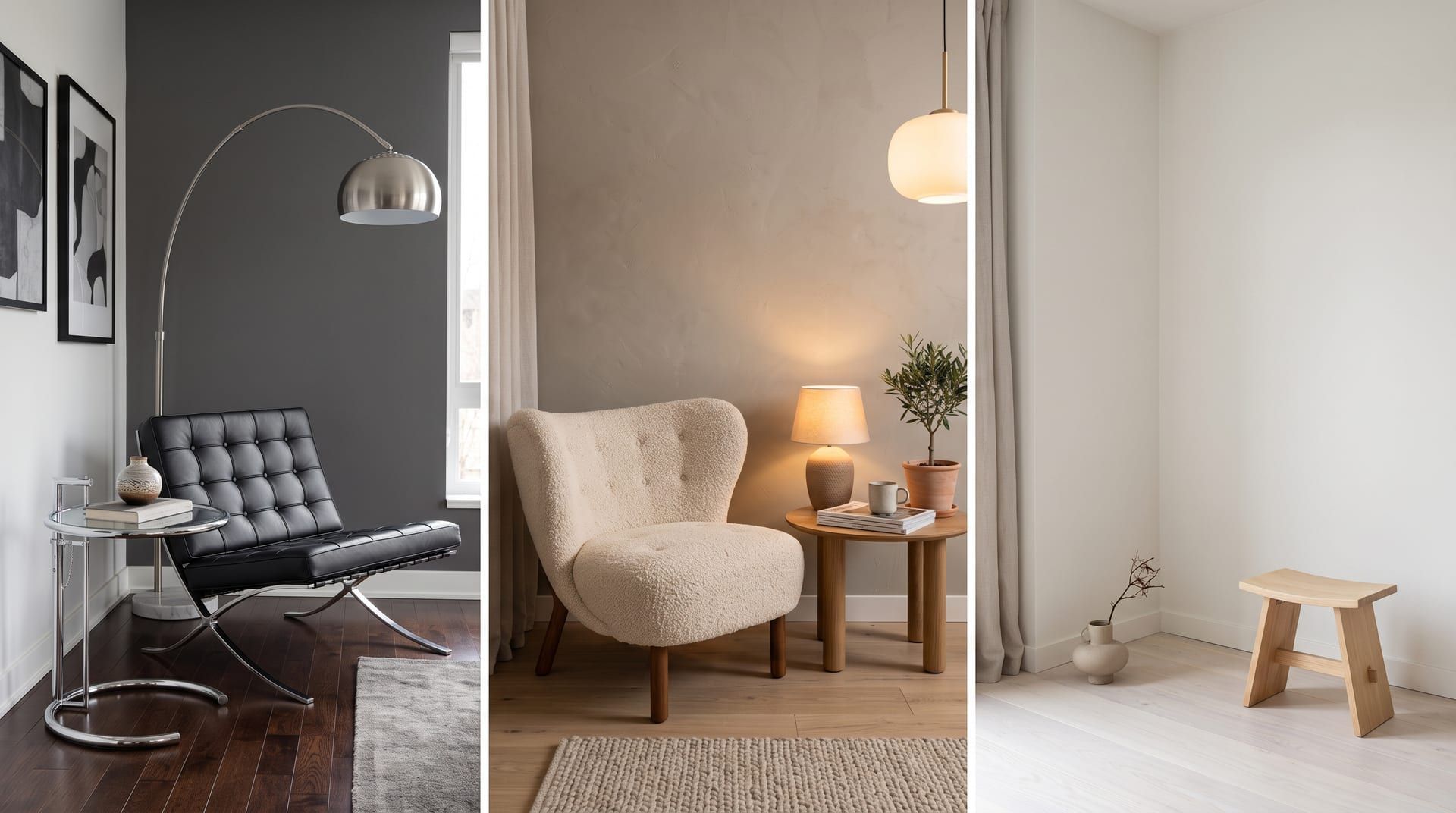
6. Compare two styles. “Explain the difference between [Scandinavian] and [minimalist] interiors for someone who is not a designer. Give three things I would buy differently and three things I would do the same.”
7. Critique a photo. Upload a photo, then: “This is my [bedroom]. Without redesigning it, tell me the three changes that would make the biggest difference for the least money, and why.”
8. Plan the order of work. “I am going to [repaint, change the curtains, replace the rug and add a reading lamp] in my [bedroom]. Put these in the right order, say what depends on what, and estimate how long each step takes for one person at weekends.”
These prompts are the useful half of AI interior design. They cost nothing, they take a minute, and the answers are usually good enough to act on.
What happens when you ask ChatGPT for a picture
ChatGPT’s current image model is gpt-image-2. It can do two things that matter here.
Generate a room from text. Describe a room and it draws one. The results are attractive and quick. They are also not your room, because no photo was involved.
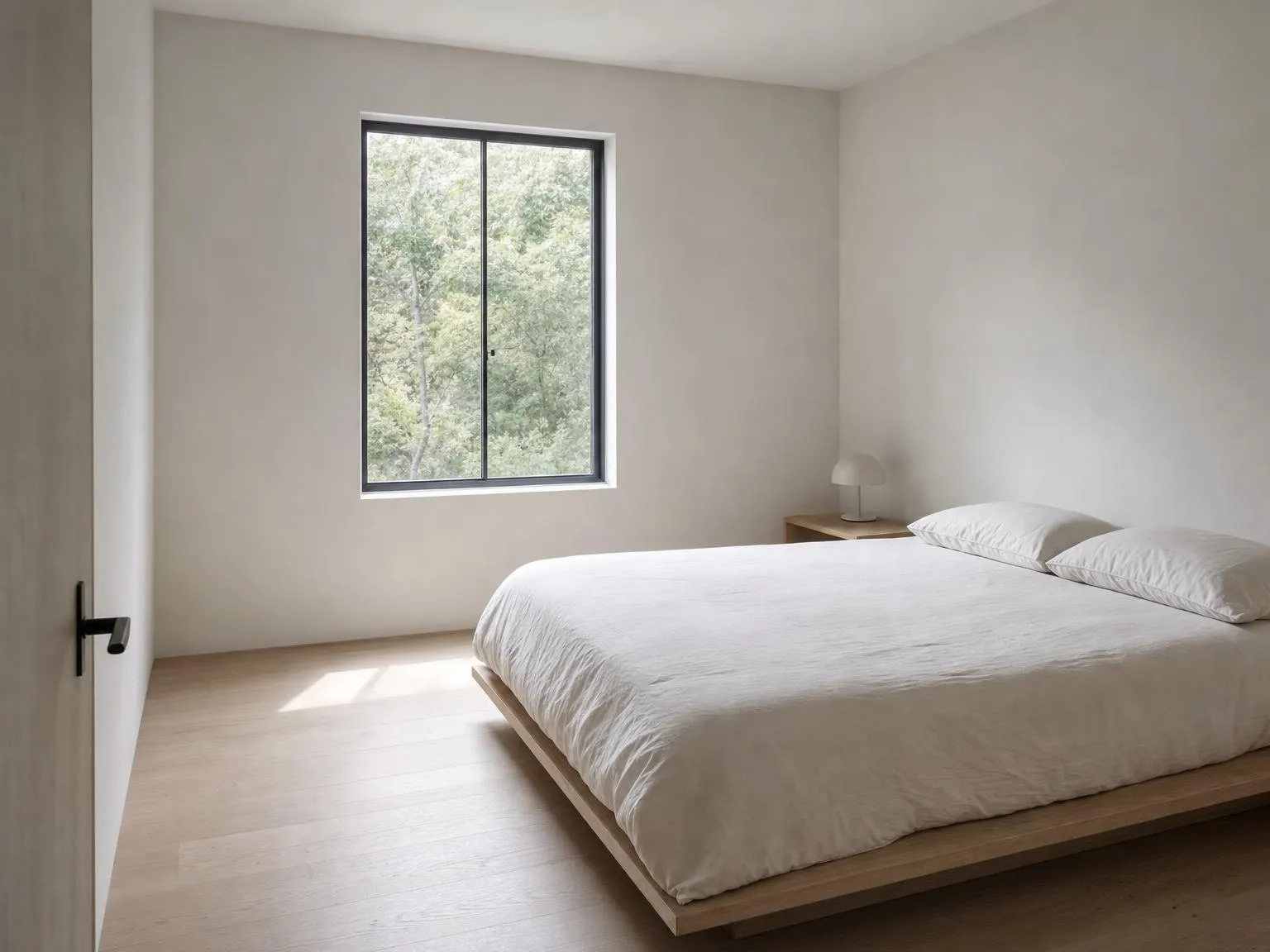 Generated with gpt-image-2 from text only, no photo.
Edit an uploaded photo. Upload a photo of your room and ask for a change: “make this bedroom minimalist”. The model takes the photo as a reference and produces a new image. It tends to redraw the room rather than keep it. The style arrives, but the room underneath may be a different room.
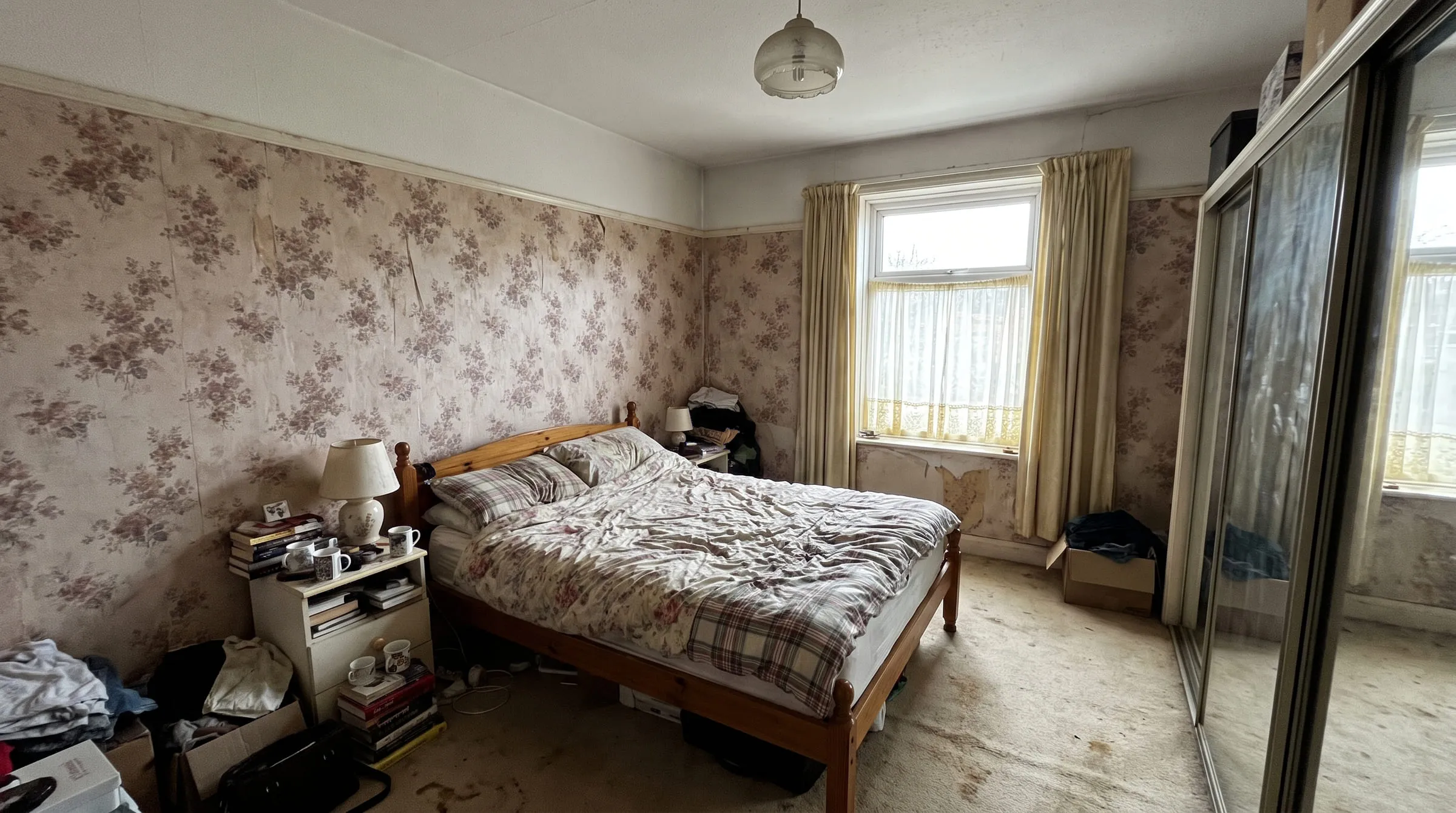 The original bedroom photo used for both edits below.
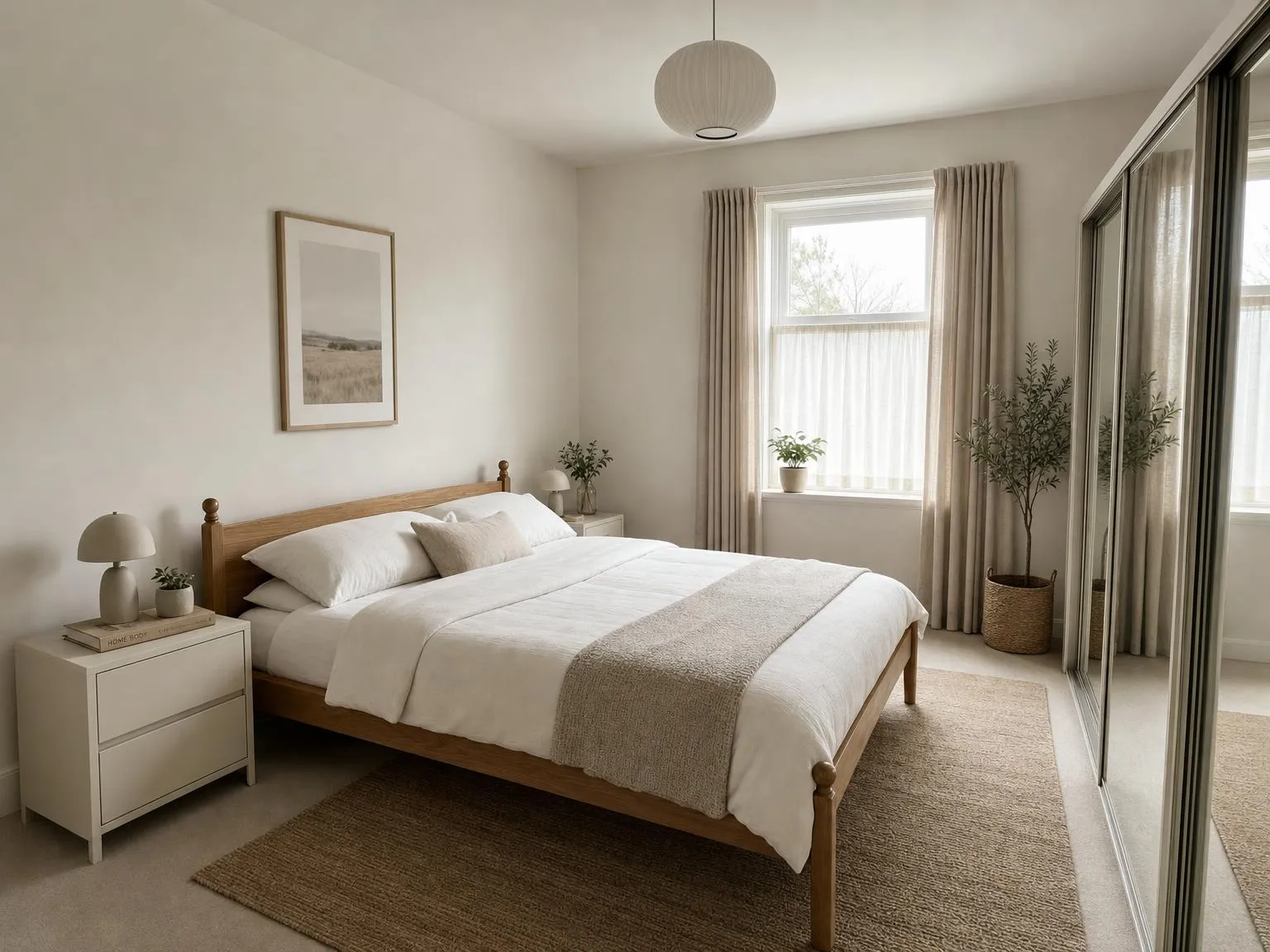 The same bedroom photo, edited by gpt-image-2 with a one-line instruction.
For comparison, here is the same bedroom photo redesigned in a minimalist style with remyhomeai’s AI model.
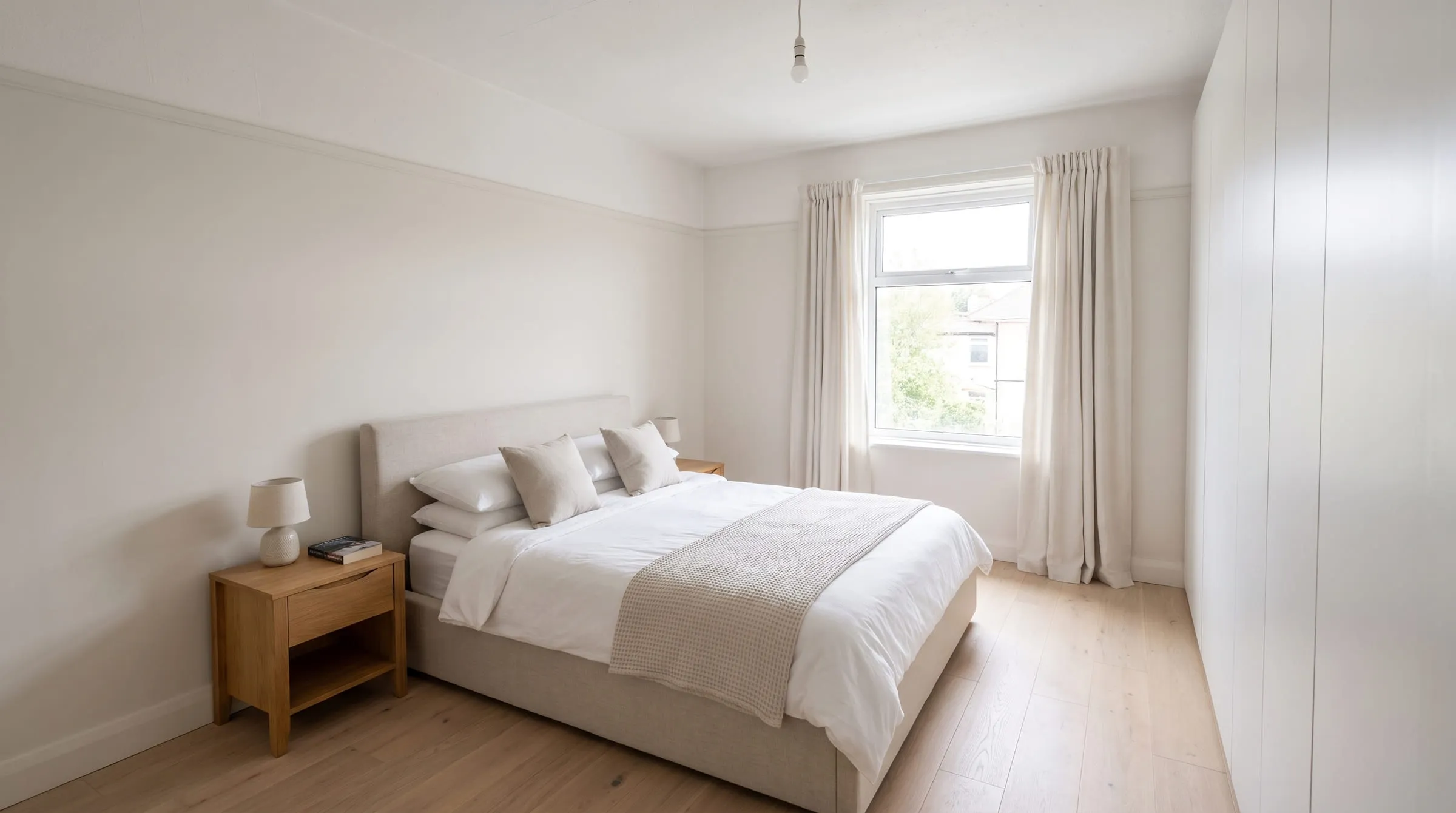 Generated with remyhomeai’s AI model from one sample photo.
Do not take our word for which one kept the room. Open the two edits next to the original and compare three things. The window: same wall, same size, same frame? The bed position: same wall, same distance from the window? The camera angle: are you standing in the same place? Those three checks tell you whether you are looking at your bedroom or at a bedroom.
Beyond fidelity, there are three practical gaps. You get one image per request, so building up a set of options is slow. There is no room type or style control, so you describe everything in words each time and the model decides what “minimalist” means today. And there is no lock control. If you want the floor and the windows left alone, you have to say so and hope. There is no box to tick.
ChatGPT and a dedicated tool, side by side
| ChatGPT (gpt-image-2) | remyhomeai | |
|---|---|---|
| Brief, palette, shopping list | Yes, and well | No |
| Room image from text only | Yes | No, it needs a photo |
| Edit a photo of your room | Yes, tends to redraw the room | Yes, keeps walls, windows, doors, ceiling and camera angle |
| Room type and style controls | None, describe in words | 7 room types, 7 styles, 39 palettes plus free text |
| Lock floor, doors, windows, ceiling, walls | No control, ask in words | Tick boxes, plus named items to keep |
| Results | One image per request | One design per run, 30 seconds to 3 minutes, in the background |
| Where results live | Chat history | Searchable, taggable library |
| Free to try | Yes, with an account and daily limits | 3 designs a month, 5 of 7 styles, no card |
When ChatGPT is the better pick
- You are at the words stage: deciding what you want, how much to spend, what to ask.
- You want a mood image and do not need it to be your room.
- You want one assistant for the whole project, from brief to builder, and you accept weaker pictures.
- You already pay for it and want to get more out of it.
When a dedicated tool is the better fit
- You have a photo of a room you do not like and want to see that room, not a similar one, in a new style.
- You plan to buy things based on the picture, so the walls and windows need to be where they really are.
- You want to compare several styles or palettes on the same photo quickly.
- You need to keep specific parts (the floor you just laid, the built-in shelves) and want a control for it rather than a sentence.
The two work well together. Write the brief with ChatGPT. Then upload your photo to remyhomeai, pick bedroom and a minimalist style, and paste the palette from the brief into the free text field. For more on why keeping the room matters, read why many AI room designers hand you someone else’s room.
What remyhomeai does not do
It does not write. There is no chat, no brief and no shopping list. It does not generate a room from text alone; it needs a photo. It does not make floor plans or 3D models, move walls or link to shops. It restyles a photo of a furnished room, and that is the whole product.
Try it on your own room. The free plan gives you 3 designs a month, no card required.