Comparison
remyhomeai vs Spacely AI
Spacely AI details from spacely.ai and the sources listed at the end of the page, reviewed October 2026.
Pick Spacely AI if you are a designer or architect working from sketches, 3D models or SketchUp, and you need single-object edits, extra angles or 4K output. Pick remyhomeai if you are a homeowner or renter with a phone photo who wants a few redesign directions for a low monthly price.
Both keep the geometry of what you upload. Spacely AI says renders keep your original materials and geometry intact. remyhomeai edits the photo and keeps the architecture. The difference is the audience and the input types.
Side by side
| Spacely AI | remyhomeai | |
|---|---|---|
| How it treats your photo | Keeps the original materials and geometry. Point and Edit changes one element at a time. | Edits your actual photo. Walls, windows, doors, ceiling and camera angle stay where they are. You can lock the floor, doors, windows, ceiling or walls, and name anything else to keep. |
| Free tier | 40 trial credits, about 5 renders. No card, no watermark, commercial licence included. | 3 designs a month. No card. An email account is required. 5 of the 7 styles, standard resolution. |
| Paid pricing | Personal $25 a month for 500 credits, Studio $50, Agency $100. Top-ups from $9 for 200 credits. | Pro $14.99 a month for 100 designs, all 7 styles, high resolution exports and a commercial licence. Pro Plus $29.99 a month for 300 designs and API access. |
| Styles | No fixed count. Named presets include Modern Classic, Minimalist Japandi and Warm Modern. | 7 styles, 39 colour palettes, plus a free-text palette. |
| Room types | Not published. | 7 room types: living room, bedroom, kitchen, bathroom, dining room, office, corridor. |
| Lock what you keep | Point and Edit changes one element and leaves the rest. | Yes. Tick floor, doors, windows, ceiling or walls, and name other items (a fireplace, built-in shelves). |
| Platforms | Web and a SketchUp extension. Mobile is view only. | Web only. No mobile app. |
| Output resolution | High resolution on all plans. 4K download and an Enhance 4K tool on paid plans. | Standard on Free. High resolution exports on Pro and Pro Plus. |
| Commercial use | Included on every plan, including the free credits. | Included on Pro and Pro Plus. |
How Spacely AI treats your photo
Spacely AI turns a sketch, 3D model or room photo into a photorealistic render with the original materials and geometry kept intact. Modes include Realistic Render, Edit, Lighting, Furnish and Enhance, and a Point and Edit tool changes one element such as the sofa or the wall colour without regenerating the rest.
Credits are spent per tool. The vendor's own blog says a Realistic Render costs 8 credits and most users spend 6 to 20 credits a session, so the 500-credit Personal plan is roughly 60 renders a month.
When to pick Spacely AI
- You start from a sketch, a 3D model or a SketchUp, Revit, AutoCAD or Rhino file.
- You need to change one object and nothing else, generate extra angles, or export 4K.
- You work in a team and want shared canvases.
When to pick remyhomeai
- You have a phone photo and no design software.
- You want a flat count of designs rather than credits that vary by tool.
- You want a lower monthly price for a whole-home redesign: $14.99 for 100 designs.
What a remyhomeai result looks like
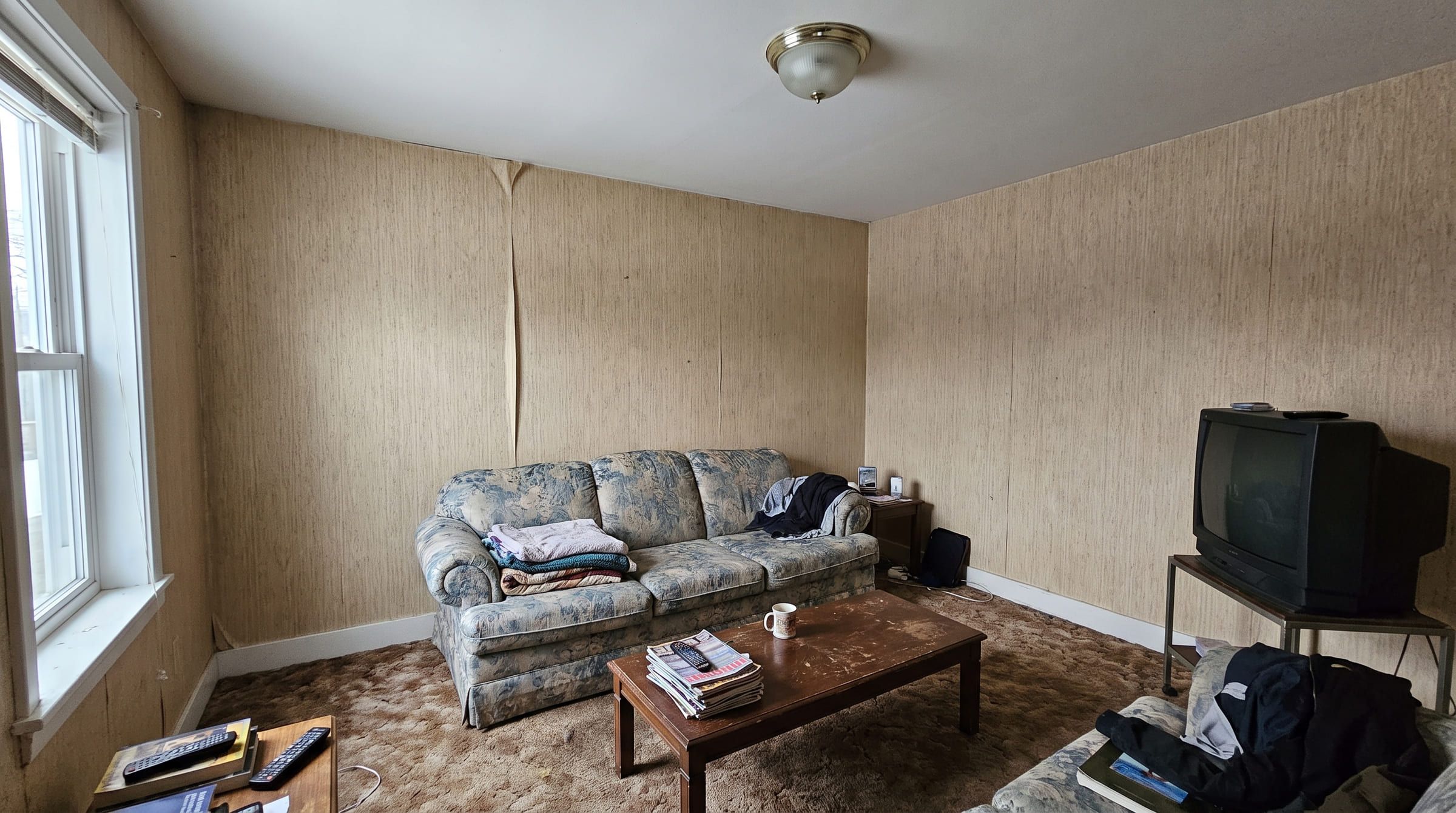
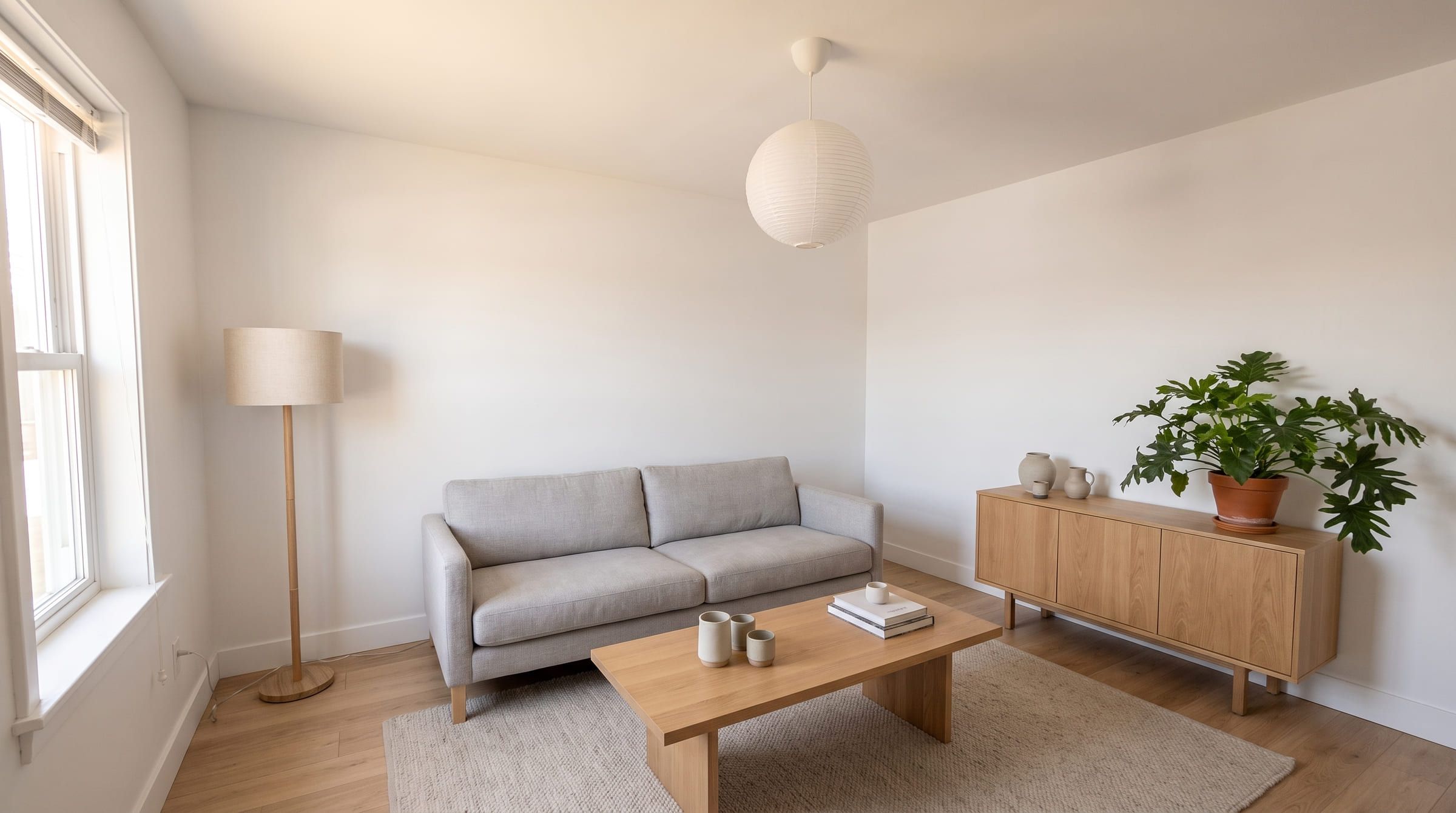
One living room photo, restyled in remyhomeai. Drag to compare. Where a free tier allows it, run one of your own photos through both tools and check the window and the door before you decide.
3 designs free each month. No card required.
Spacely AI questions
Is Spacely AI for homeowners?
It is aimed at designers and real estate, with sketch, 3D model and SketchUp input. Homeowners can use it with a photo, but remyhomeai is built for exactly that case and costs less per month.
How many renders do Spacely AI's free credits give?
About five. A Realistic Render costs 8 credits and the trial gives 40. remyhomeai's free plan is 3 designs a month, every month.
Can I change just the sofa?
In Spacely AI, yes, with Point and Edit. In remyhomeai you lock what you keep and the rest is redesigned; you cannot target one object on its own.
Sources
Other comparisons
- remyhomeai vs RoomGPTRoomGPT is the best known AI room tool. Here is how it compares with remyhomeai on how it treats your photo, what you get free, and what it costs, with sources.
- remyhomeai vs Interior AIInterior AI offers many render modes and high quotas from $49 a month with no free tier. remyhomeai is simpler and starts free. Compared with sources.
- remyhomeai vs ReimagineHomeReimagineHome also keeps your walls and windows and adds shoppable products and staging. Where it wins, where remyhomeai is simpler, and what each costs.