Comparison
remyhomeai vs ReimagineHome
ReimagineHome details from reimaginehome.ai and the sources listed at the end of the page, reviewed October 2026.
Pick ReimagineHome if you want shoppable products in the result, virtual staging, landscaping or batch processing for listings. Pick remyhomeai if you want a plain room redesign from a photo with a stated price and a lock on what you keep.
Both tools keep the architecture. ReimagineHome states that the structure (walls, windows and ceiling lines) stays fixed, with a Structural Lock option. So the choice here is about features and price, not the core approach.
Side by side
| ReimagineHome | remyhomeai | |
|---|---|---|
| How it treats your photo | Edits the photo. Structure stays fixed, with a named Structural Lock option. | Edits your actual photo. Walls, windows, doors, ceiling and camera angle stay where they are. You can lock the floor, doors, windows, ceiling or walls, and name anything else to keep. |
| Free tier | First 5 designs free. No card, no watermark. | 3 designs a month. No card. An email account is required. 5 of the 7 styles, standard resolution. |
| Paid pricing | Plans from $14 to $99 a month: Essential 30 credits, Pro 200, Advanced 400, Agency 900. | Pro $14.99 a month for 100 designs, all 7 styles, high resolution exports and a commercial licence. Pro Plus $29.99 a month for 300 designs and API access. |
| Styles | No fixed list. You describe the result in words. | 7 styles, 39 colour palettes, plus a free-text palette. |
| Room types | No fixed list. | 7 room types: living room, bedroom, kitchen, bathroom, dining room, office, corridor. |
| Lock what you keep | Structural Lock for walls, windows and ceiling lines. | Yes. Tick floor, doors, windows, ceiling or walls, and name other items (a fireplace, built-in shelves). |
| Platforms | Web. The iOS app with the same name is by a different developer. | Web only. No mobile app. |
| Output resolution | High-res and print-ready, per the vendor. | Standard on Free. High resolution exports on Pro and Pro Plus. |
| Commercial use | Not published. | Included on Pro and Pro Plus. |
How ReimagineHome treats your photo
ReimagineHome edits the uploaded photo and says structure stays fixed by default. It is driven by a description of the outcome and optional reference images, and it refines iteratively. Conversational exploration costs no credits; generating a design costs one credit.
Third-party reviews mention occasional misplaced or warped furniture that needs a second pass. The same is true of every tool in this category, including remyhomeai.
When to pick ReimagineHome
- You want the furniture in the result to be real products you can buy, with a budget constraint.
- You stage empty rooms, replace lawns or skies, or process up to 50 listing photos in a batch.
- You want to talk through ideas before spending a credit.
When to pick remyhomeai
- You want a fixed list of 7 styles and 39 palettes to pick from rather than writing a description.
- You want more designs for the money: $14.99 for 100 designs, against 30 credits on ReimagineHome's $14 plan.
- You want to lock the floor or a named item, not only the structure.
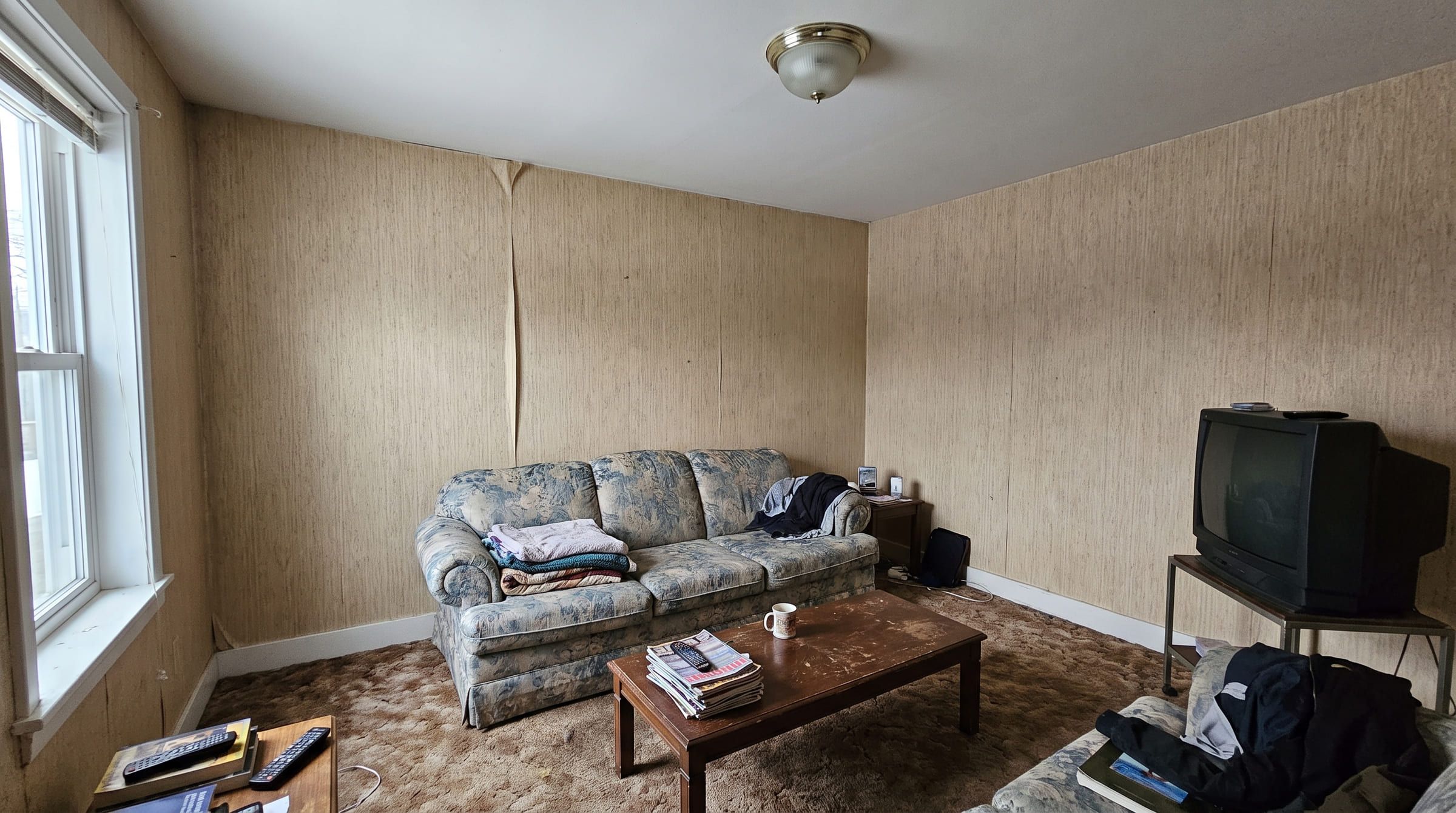
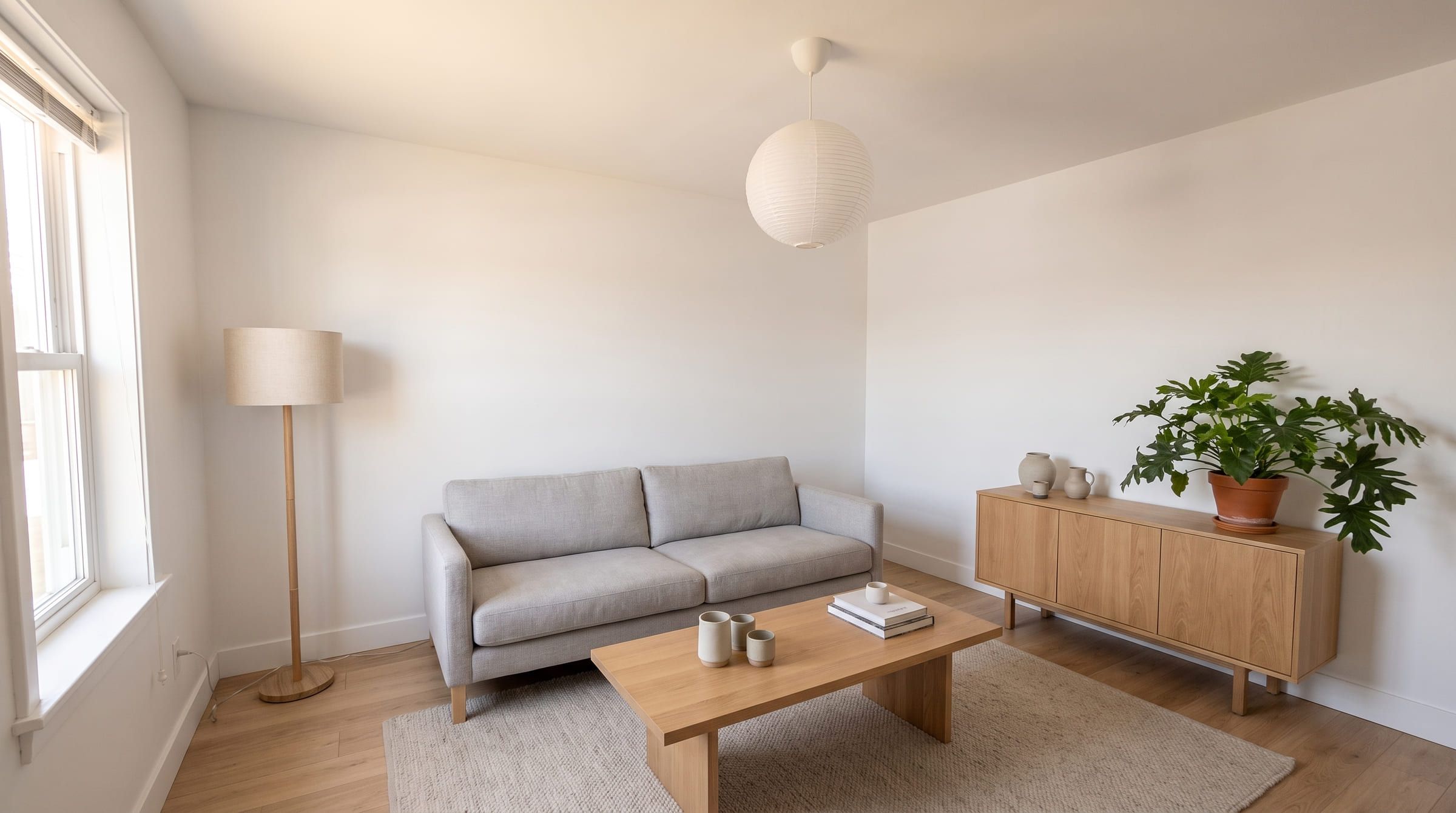
What a remyhomeai result looks like
One living room photo, restyled in remyhomeai. Drag to compare. Where a free tier allows it, run one of your own photos through both tools and check the window and the door before you decide.
3 designs free each month. No card required.
ReimagineHome questions
Does ReimagineHome keep my walls and windows?
Yes. The vendor states that structure stays fixed and names a Structural Lock option. remyhomeai keeps the architecture too and also lets you lock the floor, doors, ceiling and named items.
How many free designs does ReimagineHome give?
Five, with no card and no watermark. remyhomeai gives 3 a month on the free plan.
Which one shows products I can buy?
ReimagineHome. remyhomeai does not add shopping links to the furniture it shows.
Sources
Other comparisons
- remyhomeai vs RoomGPTRoomGPT is the best known AI room tool. Here is how it compares with remyhomeai on how it treats your photo, what you get free, and what it costs, with sources.
- remyhomeai vs Interior AIInterior AI offers many render modes and high quotas from $49 a month with no free tier. remyhomeai is simpler and starts free. Compared with sources.
- remyhomeai vs Spacely AISpacely AI is a rendering tool for designers with sketch, 3D model and SketchUp input. remyhomeai is for homeowners with a phone photo. Features and prices.