Comparison
remyhomeai vs Interior AI
Interior AI details from interiorai.com and the sources listed at the end of the page, reviewed October 2026.
Pick Interior AI if you render a lot, want modes for sketches, exteriors, gardens and empty-room staging, and are happy to pay from $49 a month without a trial. Pick remyhomeai if you want to redesign a furnished room from a photo, try it free first, and keep the architecture.
Interior AI's own help article says about 90% of renders will be good enough and 10% very good, and lists artefacts such as chairs with too few legs. Every tool in this category, remyhomeai included, makes artefacts like these. Read it before you pay anyone.
Side by side
| Interior AI | remyhomeai | |
|---|---|---|
| How it treats your photo | 3D Vision mode tries to keep the room; 2D photo mode changes it more. No named-element lock. | Edits your actual photo. Walls, windows, doors, ceiling and camera angle stay where they are. You can lock the floor, doors, windows, ceiling or walls, and name anything else to keep. |
| Free tier | None, and no refunds. | 3 designs a month. No card. An email account is required. 5 of the 7 styles, standard resolution. |
| Paid pricing | Pro $49 a month or $349 a year for 1,000 renders. Premium $99 a month, Ultra $199 a month. Commercial licence on all plans. | Pro $14.99 a month for 100 designs, all 7 styles, high resolution exports and a commercial licence. Pro Plus $29.99 a month for 300 designs and API access. |
| Styles | 55+ styles. | 7 styles, 39 colour palettes, plus a free-text palette. |
| Room types | 30+ room types. | 7 room types: living room, bedroom, kitchen, bathroom, dining room, office, corridor. |
| Lock what you keep | Not as a named control. Mode choice sets how much changes. | Yes. Tick floor, doors, windows, ceiling or walls, and name other items (a fireplace, built-in shelves). |
| Platforms | Web. | Web only. No mobile app. |
| Output resolution | Quality tiers Low, Medium and Ultra. Upscaling on Premium and Ultra. | Standard on Free. High resolution exports on Pro and Pro Plus. |
| Commercial use | Included on every plan. | Included on Pro and Pro Plus. |
How Interior AI treats your photo
Interior AI has several modes. Its 3D Vision mode tries to maintain the interior of your current room while changing its style. Its 2D photo mode manipulates the space more and does not stick to the 3D objects. There are also Freestyle (no photo), Sketch2Image, Virtual Staging and Smart Edit modes.
The vendor states that resemblance to your interior depends on photo quality and on which mode you choose. There is no lock on named elements.
When to pick Interior AI
- You render hundreds of images a month: 1,000 renders on the cheapest plan.
- You need sketch to render, exterior or garden design, empty-room staging, walkthrough video or SketchUp input.
- You want a commercial licence on the entry plan.
When to pick remyhomeai
- You want to try before paying. Interior AI has no free tier and no refunds.
- You redesign a few rooms, not hundreds. $14.99 for 100 designs covers a whole home.
- You want to lock specific things in the photo rather than choose between modes.
What a remyhomeai result looks like
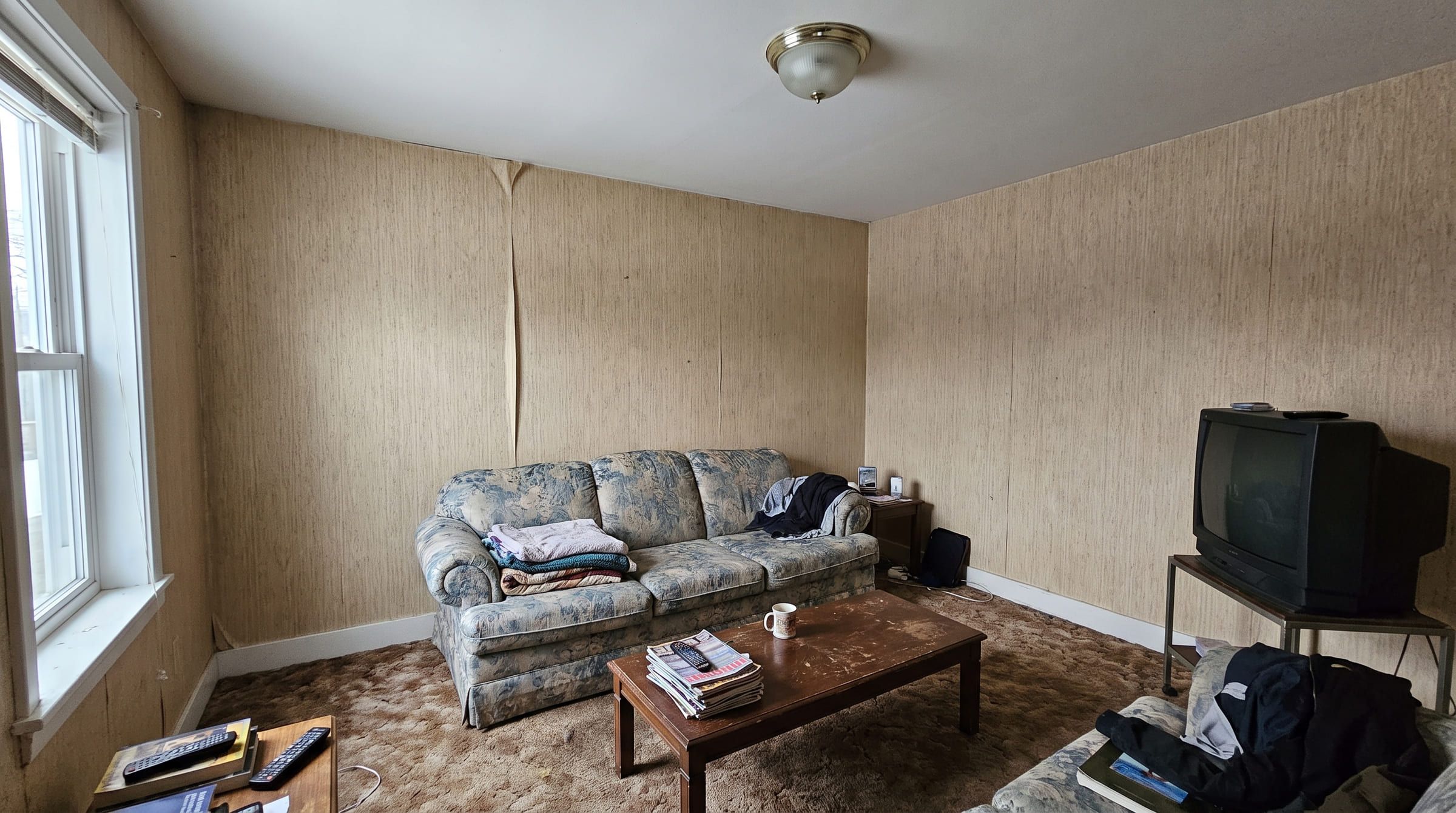
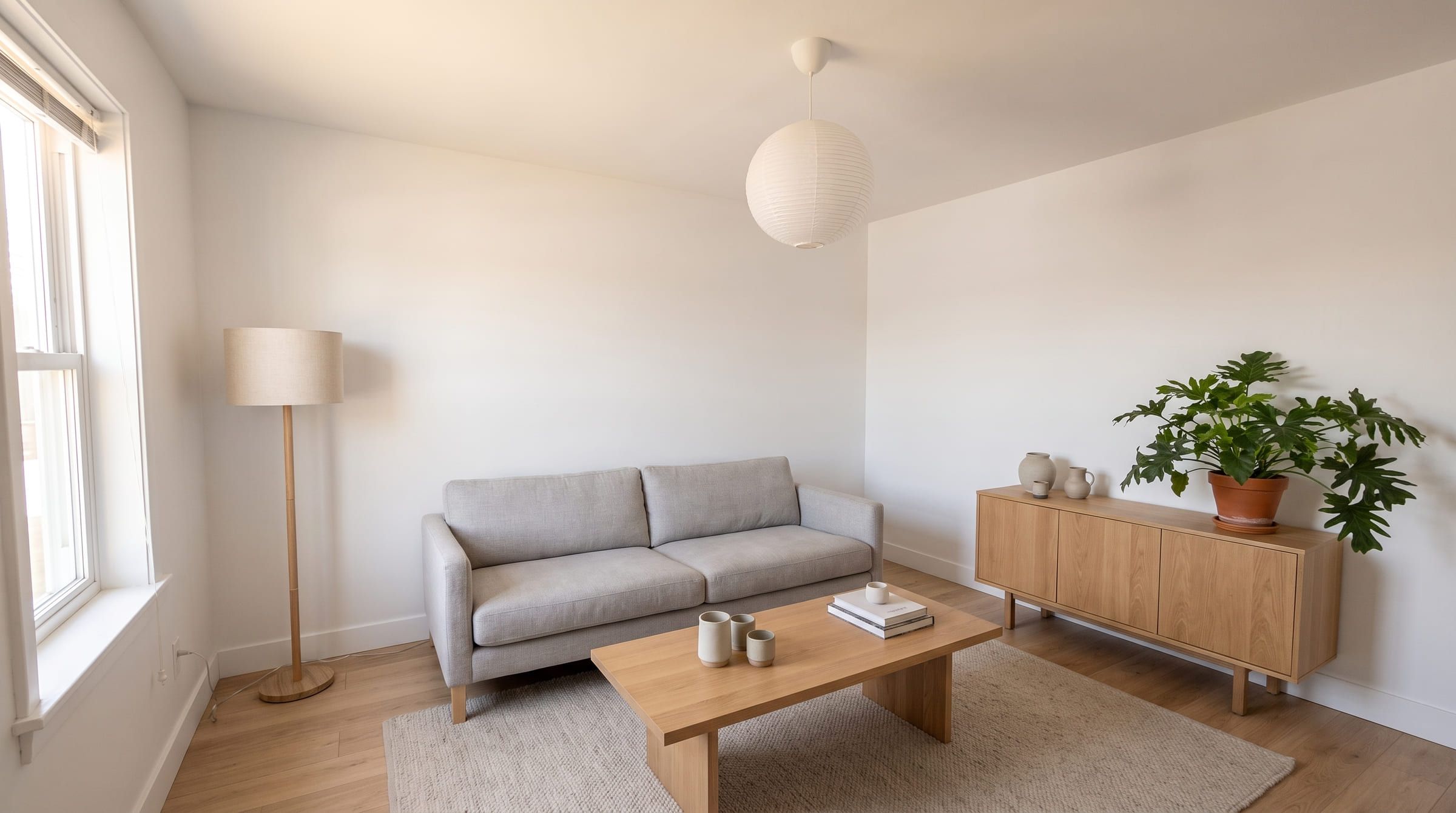
One living room photo, restyled in remyhomeai. Drag to compare. Where a free tier allows it, run one of your own photos through both tools and check the window and the door before you decide.
3 designs free each month. No card required.
Interior AI questions
Does Interior AI have a free trial?
No. It has no free tier, and its FAQ says it cannot offer refunds. remyhomeai's free plan gives 3 designs a month with no card.
Which is cheaper?
remyhomeai Pro is $14.99 a month for 100 designs. Interior AI Pro is $49 a month for 1,000 renders. If you need more than 300 renders a month, pick Interior AI: remyhomeai's largest plan is 300.
Can Interior AI stage an empty room?
Yes, it has a Virtual Staging mode. remyhomeai is a restyling tool for furnished rooms; for an empty room, use a tool built for staging.
Sources
Other comparisons
- remyhomeai vs RoomGPTRoomGPT is the best known AI room tool. Here is how it compares with remyhomeai on how it treats your photo, what you get free, and what it costs, with sources.
- remyhomeai vs ReimagineHomeReimagineHome also keeps your walls and windows and adds shoppable products and staging. Where it wins, where remyhomeai is simpler, and what each costs.
- remyhomeai vs Spacely AISpacely AI is a rendering tool for designers with sketch, 3D model and SketchUp input. remyhomeai is for homeowners with a phone photo. Features and prices.